// 2026-08-05 · Learning & Education · by Bob Smith
WorldWide Telescope: The Whole Sky, Stitched and Browsable
WorldWide Telescope stitches real sky surveys into one seamless map of the universe you can pan, zoom and switch between wavelengths, free in the browser.
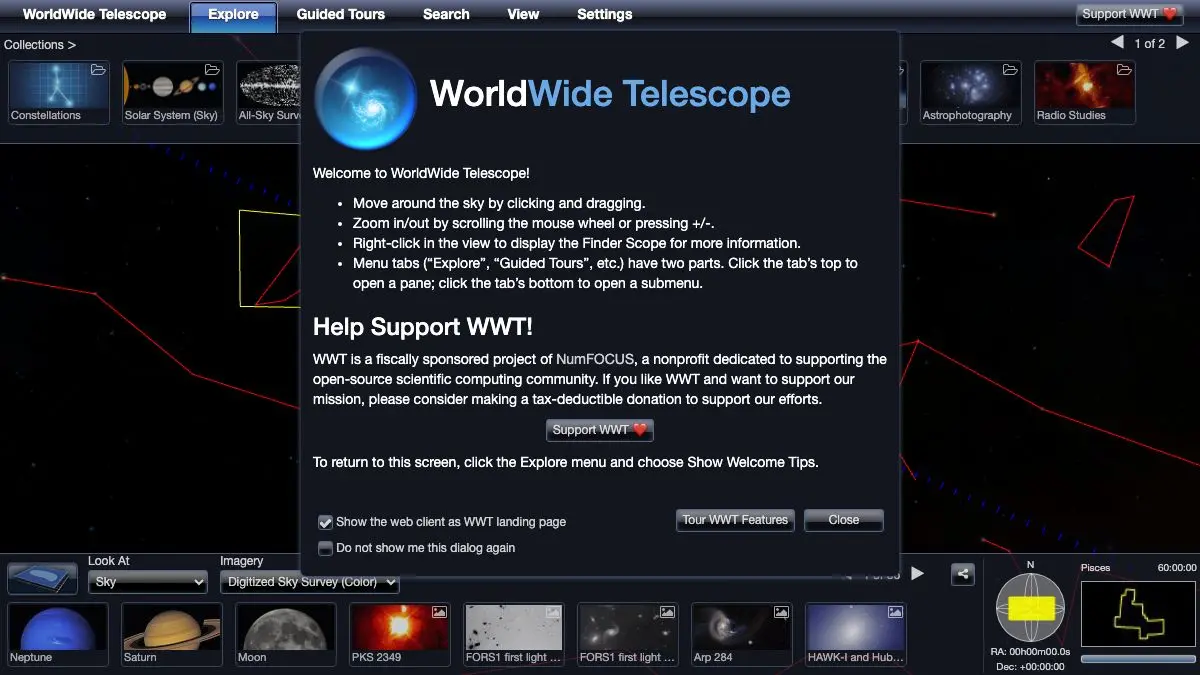
WorldWide Telescope takes the actual observations of actual telescopes, decades of survey data covering the entire sky, and stitches them into one continuous image you can pan and zoom through like a map. Start at the whole celestial sphere. Keep zooming. Eventually you are looking at the individual arms of a galaxy, in real data, that someone pointed a real instrument at.
Then you flip a control and see the same patch of sky in X-ray, and everything changes.
What is WorldWide Telescope?
The problem it solves is unglamorous and enormous. Astronomical survey data lives in archives, in specialized formats, spread across institutions, with each survey covering a different area at a different resolution in a different wavelength. Looking at any one of them requires knowing which archive to query. Looking at several at once, for the same patch of sky, historically required real effort.
WorldWide Telescope stitches them. The result is a single browsable universe where you can move continuously from one dataset to another without noticing the seams, and where the various wavelength surveys are registered to the same coordinates so you can flip between them and compare.
It started at Microsoft Research and was released free. In the mid-2010s the project was transferred to the American Astronomical Society, which has kept it running as an open source community resource. The web client is the easy way in: it opens in a browser with nothing to install, and there is a fuller Windows desktop version for people who want the whole thing.
Beyond the sky itself, it holds a 3D solar system view, planetary surface imagery, and a set of curated collections and catalogs. Objects are searchable by name, so typing “Crab Nebula” gets you there directly rather than making you hunt.
The feature that made it a fixture in classrooms and planetariums is guided tours: scripted flights through the sky with narration, annotations and timed camera moves. Astronomers and educators have built a large library of them, and you can record your own.
What can you do with WorldWide Telescope?
- Pan and zoom the whole sky. One continuous mosaic assembled from real survey imagery, from the full sphere down to individual objects.
- Switch wavelengths. View the same region in visible light, infrared, radio, X-ray and more. Comparing them is the single most educational thing on the site.
- Search for any object. Type a catalog name or common name and fly straight to it, with the reference data attached.
- Explore the solar system in 3D. Planetary orbits, moons, and surface imagery for bodies where it exists.
- Take a guided tour. Narrated, annotated flights built by astronomers and educators, covering everything from stellar evolution to specific discoveries.
- Build your own tour. Set camera positions, add text and audio, and produce a walkthrough for a class or a talk.
- Look up the observations behind an image. The data is sourced from real surveys, and the interface will tell you which.
Tips to get the most out of it
Learn the wavelength switch first. Everything else is navigation. The imagery layers are where the actual insight lives: a region that looks empty in visible light can be spectacular in infrared, and seeing that once permanently changes how you read astronomy photos.
Use search instead of hunting. The sky is very large and mostly dark. Typing an object name is always faster than scanning for it, and the famous objects are all catalogued under names you already know.
Zoom slowly at the transitions. As you zoom, the client swaps in higher-resolution survey data. Going too fast means you blow past the moment where a smudge resolves into structure, which is the good part.
Try a guided tour before free exploring. The tours teach you what is worth looking at. Twenty minutes of someone else’s route makes your own wandering far more productive.
Give it a real screen. The web client works on a laptop but the experience scales with pixels. A large monitor, and a dark room, makes a genuine difference.
Check the desktop client if you want more. The browser version covers most needs, but the Windows application goes deeper on data import and tour authoring if you are building something for teaching.
If you like WorldWide Telescope, also try…
- 100,000 Stars: a 3D flight through our stellar neighborhood, from the Sun out to the galaxy.
- Scale of the Universe: the sizes involved, from quarks to superclusters, on one zoomable line.
- Dark Site Finder: once you want to see it with your own eyes, this finds you somewhere dark enough.
- If the Moon Were Only 1 Pixel: a very long scroll that makes the emptiness of space uncomfortably clear.
More things that make the universe legible in Learning & Education and Maps & Exploration.
Frequently asked questions
What is WorldWide Telescope?
WorldWide Telescope is a free astronomy visualization environment that stitches together real telescope surveys into a single seamless view of the sky. You can pan and zoom across it like a map, switch between wavelengths from radio to X-ray, and jump to catalogued objects. It runs in a browser and also exists as a desktop application.
Is WorldWide Telescope free?
Yes, it is free and open source. It began at Microsoft Research and was later transferred to the American Astronomical Society, which now stewards the project as a community resource for research and education.
Do I need a telescope to use it?
No. All the imagery comes from professional survey data collected by ground and space telescopes, so you are browsing observations that already exist. It works just as well from a city apartment at noon as from a dark site at midnight.
Can I use it for teaching?
Yes, that is one of its main purposes. It supports guided tours, which are scripted flights through the sky with narration and annotations, and educators can build their own tours to walk a class through a topic.