// 2026-08-05 · Learning & Education · by Bob Smith
LifeMap: The Entire Tree of Life, Navigated Like Google Maps
LifeMap renders the whole tree of life as a zoomable map. Start at the last universal common ancestor and pan outward through hundreds of thousands of species.
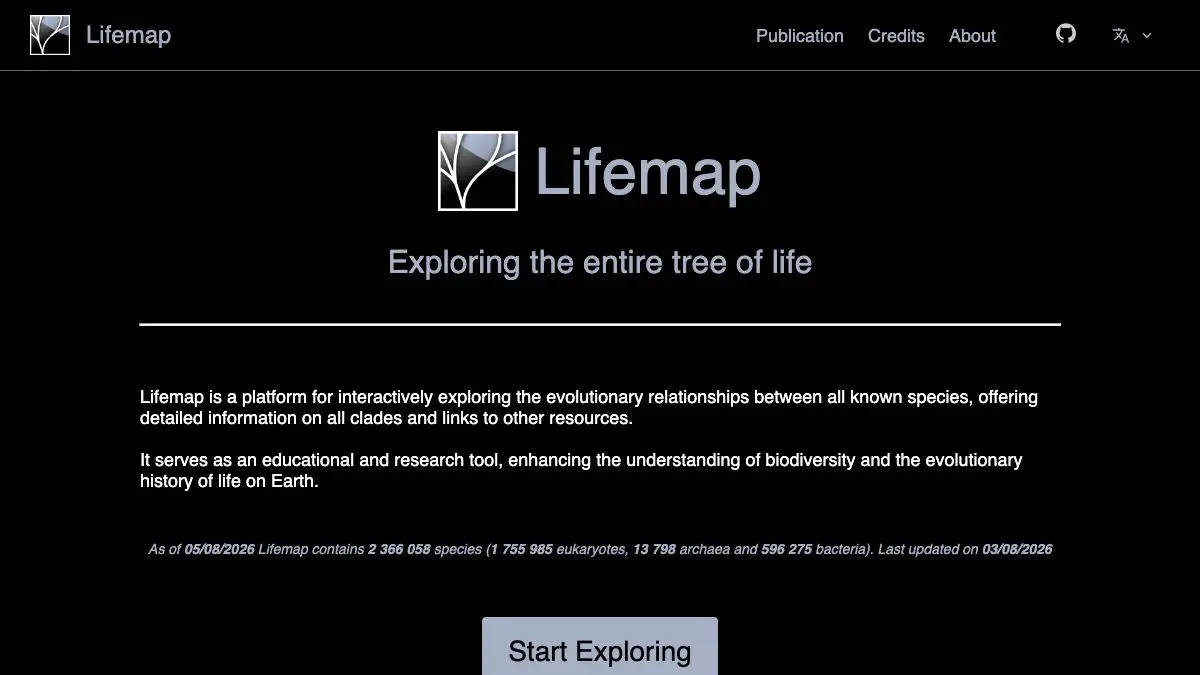
LifeMap takes the tree of life, all of it, every branch from bacteria to blue whales, and puts it behind a map interface. The root of life sits at the center. Everything alive radiates outward. You scroll to zoom, drag to pan, and search for a species the way you would search for a street. It is the clearest answer anyone has produced to a genuinely hard visualization problem, and it is free.
What is LifeMap?
The tree of life has a scale problem. Draw it small enough to fit on a page and you can show maybe a dozen groups. Draw it accurately and it has hundreds of thousands of tips and no screen or sheet of paper can hold it. Textbook diagrams solve this by lying: a tidy little fan with “Animals” as one twig, when animals are a rounding error in the actual diversity of life.
LifeMap solves it by borrowing from cartography. Online maps already handle a dataset that is planetary at one zoom level and doorstep-detailed at another, and they do it by serving pre-rendered tiles at every scale. LifeMap applies exactly that machinery to phylogeny. At maximum zoom-out you see the deep structure, the domains and the great early splits. Zoom in and the tree keeps resolving, kingdom into phylum into class into family into genus into species, with no seams and no loading screens.
It comes out of research rather than a design studio. LifeMap was developed by Damien de Vienne at the CNRS in Lyon and published in the scientific literature, and it draws its structure from established taxonomic databases, chiefly the NCBI taxonomy that underpins public sequence archives. That provenance is worth knowing: the tree reflects the current state of formal classification, including its arguments and its blind spots, rather than someone’s opinion about how life should be organized.
Click a node and you get information about that group, including where it sits and how much sits below it. This is where the site does its real damage to your intuitions. You will discover that the branch you thought of as “the interesting one” is a twig, and that most of the tree is microbial, and that a great many familiar categories are not really categories at all.
What can you do with LifeMap?
- Zoom out to the root. Start at the last universal common ancestor and look at the shape of everything. It takes about ten seconds and rearranges your mental model.
- Search for any organism. Type a name, common or scientific, and the map flies to its position in the tree.
- Navigate by dragging. Pan sideways through sibling lineages the way you would pan across a city, which is a very different experience from clicking through a taxonomy list.
- Click nodes for detail. Each group carries information about its classification and what it contains.
- Find your own neighbors. Search for Homo sapiens, then zoom out one step at a time and watch how quickly you become a footnote.
- Compare group sizes visually. Because the layout is spatial, the relative diversity of branches is something you see rather than something you read.
- Use it for teaching. It is a projector-ready demonstration of deep time and common descent that needs no preparation.
Tips to get the most out of it
Zoom out first, always. Everyone’s instinct is to search for a favorite animal immediately. Do the opposite: look at the whole tree for a minute before you go anywhere, so that when you do zoom in you understand what you are inside of.
Follow one lineage all the way down. Pick a branch at the root and descend without searching. The gradual narrowing from domain to species does something that jumping straight to an answer does not.
Search for something microbial. The animal branch is the one everybody visits and it is genuinely one of the less impressive regions. Most of life’s diversity is single-celled and the map makes that vivid.
Remember what the tree is made of. Coverage tracks what has been sequenced and formally named, so groups that attract research funding look richer than groups that do not. Absence on the map is not absence in the world.
Give it a proper screen. It works on a phone, but the whole point is peripheral vision and scale, and a laptop or a projector delivers considerably more of both.
Use it alongside a species page. LifeMap tells you where something sits. It is not trying to be an encyclopedia, so keep a reference open for the organisms that catch your eye.
If you like LifeMap, also try…
- OneZoom Tree of Life: a different and equally beautiful zoomable rendering of the same tree, with a fractal layout.
- Scale of the Universe: the same zoom-out shock applied to physical size instead of ancestry.
- 100,000 Stars: fly through our stellar neighborhood and lose your sense of proportion in the other direction.
- Nikon Small World: photographs of the microscopic organisms that occupy most of the branches you just flew past.
More things that quietly resize your worldview in Learning & Education, with more zoomable everything in Maps & Exploration.
Frequently asked questions
What is LifeMap?
LifeMap is a web tool that displays the entire tree of life using the same tile-and-zoom technology as an online map. The root sits at the center and lineages branch outward, so zooming in takes you from broad domains down through phyla and families to individual species. It was developed by a researcher at the CNRS in France and is free to use.
Is LifeMap free?
Yes. It is a publicly funded research tool, free to use with no account or registration. It runs in a normal browser and there is nothing to install.
Where does LifeMap's data come from?
The tree is built from established taxonomic databases, principally the NCBI taxonomy, which catalogs organisms with sequence data in public archives. That means the shape of the tree reflects current scientific classification rather than an editorial choice, and it inherits both the strengths and the gaps of those source databases.
How do I find a specific species on LifeMap?
Use the search box and type a common or scientific name. The map then flies to that point in the tree, the same way a map service flies to an address, and you can zoom out from there to see what the organism's neighbors are.