// 2026-07-10 · Tools & Utilities · by Bob Smith
Monkeytype: The Typing Test People Get Addicted To
Monkeytype is a minimalist, endlessly customizable typing test with clean stats and lovely themes. Free, open source, quietly ruining people's afternoons.
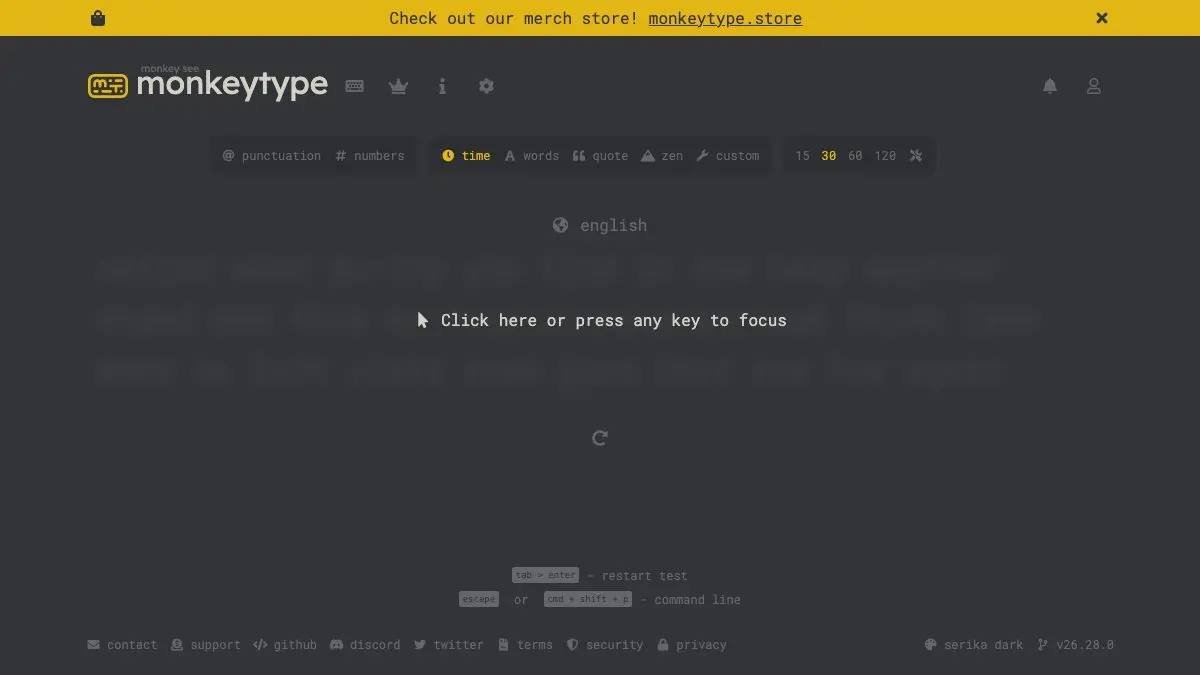
Monkeytype is a typing test, and calling it that undersells it enormously. It is a clean, dark, distraction-free page where words appear and you type them, with words-per-minute and accuracy scoring, hundreds of themes, and enough settings to keep a tinkerer busy for a week. People set it as their new-tab page. On purpose.
What is Monkeytype?
Typing tests used to be grim. Beige interfaces, clip-art mascots, ads shoved into the results screen, and a scoring system that felt arbitrary.
Monkeytype threw all of that out. What is left is text on a background, a live timer, and a caret. You start typing and the test begins. That is the entire onboarding.
Then you finish, and the results screen appears, raw wpm, adjusted wpm, accuracy, consistency, a graph of your speed over the run, and a heat map of which characters slowed you down. Suddenly it is not a test, it is a sport with telemetry.
It is open source, actively developed, and free in every direction. There is no upsell, no premium tier hiding the good modes. And the customization is genuinely absurd: dozens upon dozens of themes, multiple caret styles, sound effects if you want key clicks, and language packs covering an enormous range of languages and even programming syntax.
The result is a tool that people use daily without ever really deciding to.
What can you do on Monkeytype?
- Run a timed test. The default. Pick 15, 30, 60, or 120 seconds and go.
- Switch to word count mode. Fixed number of words instead of a fixed clock: better for measuring consistency.
- Try quote mode. Real passages instead of random words, sorted by length. Punctuation and capital letters change your typing rhythm completely.
- Turn on punctuation and numbers. Two toggles that make any test dramatically harder and dramatically more realistic.
- Use the custom test. Paste in your own text: your code, an essay, a language you are learning, and practice on that.
- Explore the theme gallery. Hundreds of color schemes. This is where the hours go.
- Check your stats. With a free account you get personal bests per mode, a full history, and progress graphs.
- Compete on the leaderboards. Daily and all-time boards, if you want the humbling experience of seeing what 200 wpm looks like.
Tips to get the most out of it
Slow down to speed up. The single most common mistake is racing. Type at about 80% of your maximum, aim for 100% accuracy, and let speed arrive on its own. Accuracy-first practice beats speed-first every time.
Turn on punctuation and numbers immediately. Practicing lowercase words only makes you fast at a thing you never actually do. Real typing has commas, capitals, and the number row. Train what you use.
Watch consistency, not just wpm. The results screen shows a consistency score. A jagged speed graph means you are sprinting and stalling. Smooth is better than fast, and smooth eventually becomes fast.
Use the custom text mode for real practice. Paste in a chunk of the code, language, or vocabulary you actually work with. Ten minutes on your own material is worth an hour of random common words.
Don’t chase the leaderboard. The top of Monkeytype is populated by people with custom keyboards and years of deliberate practice. Compete against your own last week instead.
Set it as your new tab page. Sixty seconds of typing every time you open a tab. It is the least guilty micro-habit available on the internet.
If you like Monkeytype, also try…
- TypeLit.io: the same practice, except you are retyping entire classic novels instead of word lists.
- Hacker Typer: the exact opposite: typing where accuracy is impossible to get wrong.
- Quick, Draw!: another sixty-second browser habit that turns a mundane skill into a game.
- regex101: for when your keyboard practice turns into actual work.
Find more everyday helpers in Tools & Utilities, or level up somewhere else in Learning & Education.
Frequently asked questions
What is Monkeytype?
Monkeytype is a free, minimalist typing test website that measures your words per minute and accuracy across customizable tests. It strips away the clutter of older typing sites and replaces it with a clean interface, deep configuration options, and detailed statistics. It is open source and has become the default typing test for keyboard enthusiasts.
Is Monkeytype free?
Yes, Monkeytype is completely free and open source. You can use every test mode, theme, and setting without paying or creating an account, though making a free account lets you save your results and track progress over time.
What is a good words per minute score on Monkeytype?
Around 40 wpm is a typical adult typing speed, 60 to 80 wpm is comfortably fast, and above 100 wpm puts you in enthusiast territory. Accuracy matters as much as raw speed, a 70 wpm run at 98% accuracy is more useful in real life than 90 wpm at 88%.
Do I need an account to use Monkeytype?
No. You can take unlimited tests without signing up. An account is only needed if you want your history saved, your personal bests tracked, and your results to appear on the leaderboards.