// 2026-08-05 · Productivity · by Bob Smith
OneLook Reverse Dictionary: Describe It and Get the Word
OneLook's reverse dictionary finds the word you cannot remember. Describe the concept in plain English and it returns the terms that match your description.
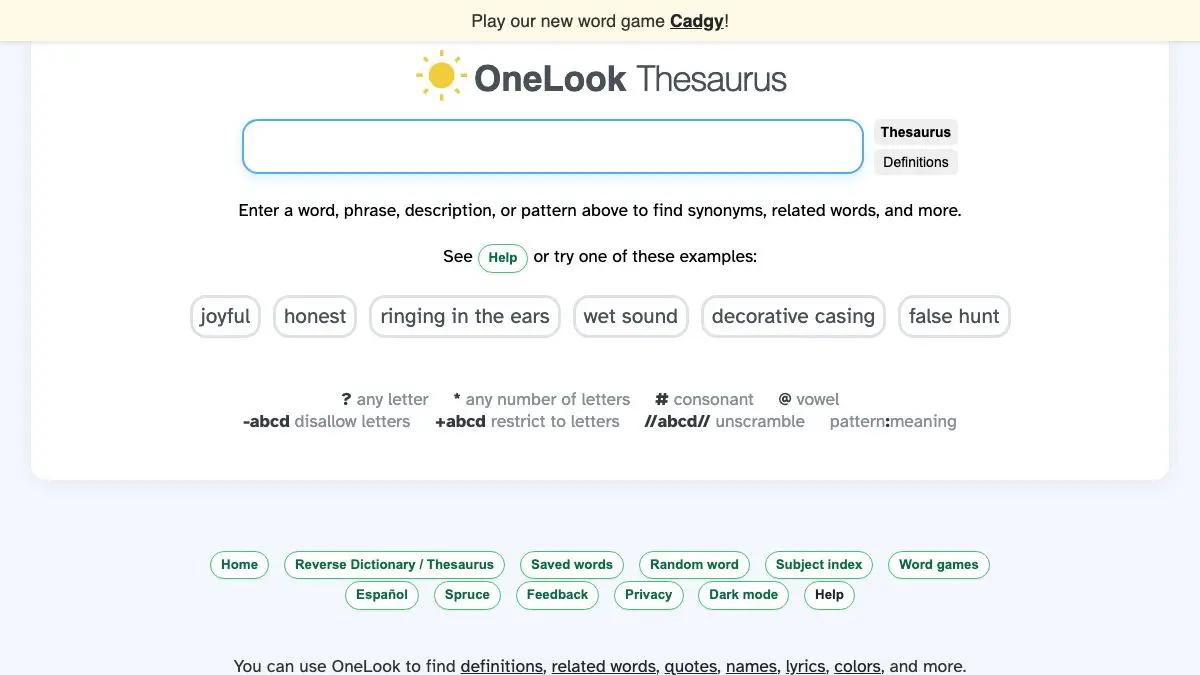
OneLook Reverse Dictionary solves a problem you have had a hundred times and never had a tool for. You know the word exists. You can describe exactly what it means. You cannot retrieve it, and a thesaurus is no help because a thesaurus requires you to already have a word.
Type “the feeling of wanting to be somewhere you have never been” and it hands you back words. That is the entire product, and it is quietly one of the best things on the internet for anyone who writes.
What is OneLook?
OneLook has been running since the late 1990s as a dictionary aggregator: rather than defining words itself, it indexes definitions across a very large number of online dictionaries and shows you where a word appears. That indexing job is what makes the reverse lookup possible. If you have parsed millions of definitions, you can search them the other way around.
So the reverse dictionary takes your description, matches it against the language used in dictionary definitions and related sources, and returns candidate words ranked by how well they fit. It is not doing keyword matching on your exact phrase, which is why “when a plant grows toward light” produces useful results rather than nothing at all.
The interface has been rebuilt over the years, most recently into a combined tool that handles reverse lookup, thesaurus behavior, related concepts and pattern matching in one box. You can describe a meaning, ask for words related to a topic, constrain by letters and length, or combine all of that in a single query. There is a syntax for it, documented on the site, but the plain-language version works fine on its own.
What you get back is a ranked list with definitions available inline, so you can check that the word actually means what you think before you use it. This matters. Reverse lookup is a recall tool, and the failure mode is confidently deploying a word you half-recognized.
It is also unglamorous in a way that has become rare. Fast, dense, text-first, no onboarding flow, no account. It looks like a utility from an earlier internet because it is one, and it has simply kept working.
What can you do with OneLook?
- Describe a concept and get the word. The core function. Write the idea out in normal English and read the ranked candidates.
- Find related terms for a topic. Ask for words associated with an area and it will produce vocabulary around it, which is useful for brainstorming and naming.
- Search with wildcard patterns. Specify known letters, unknown positions and word length, alone or combined with a meaning description.
- Solve crossword clues. Meaning plus a letter pattern is exactly the shape of a crossword clue, and the tool handles both at once.
- Check the definition inline. Results expose their definitions without leaving the page, so you can verify before using.
- Jump to the full dictionary index. OneLook’s original function is still there: look up a word and see how dozens of dictionaries define it, including specialist and technical ones.
- Hunt for names and titles. Describing the feeling you want from a product name, band name or article title produces better candidates than staring at a blank document.
- Use it in reverse for learning. Describing a concept and seeing the precise term for it is a fast way to pick up specialist vocabulary in a new field.
Tips to get the most out of it
Write a full sentence, not a keyword. The tool is built to interpret descriptions. “Sad” gets you a thesaurus dump. “Sadness caused by remembering something pleasant that is gone” gets you the word you were reaching for.
Try several phrasings. Different descriptions surface different candidates, because the match runs against how dictionaries phrase things, not how you do. If the first attempt fails, rewrite the description rather than giving up.
Combine meaning with a pattern. If you know it starts with an s and has seven letters, say so. Constraining the search does more to sharpen results than adding more descriptive words.
Always check the definition. The list is ranked candidates, not answers. Words that look right and mean something adjacent are the main hazard, and the inline definitions exist precisely to catch that.
Use it for naming, not just writing. Describing the quality you want a name to convey, then browsing the returned vocabulary, is a much better ideation method than a blank page and a deadline.
Keep it open while drafting. The cost of stopping to hunt for a word is what makes people settle for the mediocre one. A tab that answers in two seconds changes that calculation.
If you like OneLook, also try…
- RhymeZone: the same family of word tools, aimed at sound rather than meaning.
- Hemingway Editor: once you have found the right word, this tells you about the twelve unnecessary ones around it.
- Wolfram Alpha: the equivalent trick for numbers, ask a question in plain language and get a computed answer.
- YouGlish: hear your newly recovered word pronounced by real people before you say it out loud.
More things that make writing less painful in Productivity, and more clever lookups in Tools & Utilities.
Frequently asked questions
What is the OneLook Reverse Dictionary?
It is a search tool that works backwards from a normal dictionary. Instead of typing a word to get its definition, you type a description of a concept and it returns words and phrases that match. It is part of OneLook, a long-running service that indexes definitions across a large number of online dictionaries.
Is OneLook free to use?
The reverse dictionary and word search are free to use in a browser with no account required. The site has historically offered optional paid features for heavy users, but the core lookup that most people come for costs nothing.
How do I use it to find a word I forgot?
Type the idea in ordinary words, as if explaining it to someone: for example 'fear of being forgotten after death' or 'the smell of rain on dry ground'. Results appear ranked by relevance, and you can hover or click a result to check its definition before committing to it. Longer, more specific descriptions usually work better than single keywords.
Can it do crossword and pattern searches?
Yes. OneLook supports wildcard patterns, so you can combine a meaning description with a constraint like a known letter count or specific letters in specific positions. That combination makes it useful for crosswords and other word puzzles as well as for writing.
Visit OneLook Reverse Dictionary →
← All posts · Browse the directory