// 2026-06-01 · Tools & Utilities · by Bob Smith
PairDrop: AirDrop for Every Device, Right in a Tab
PairDrop sends files and text between any two devices through the browser. No app, no signup, no cable. Open-source, free, works phone to laptop to TV.
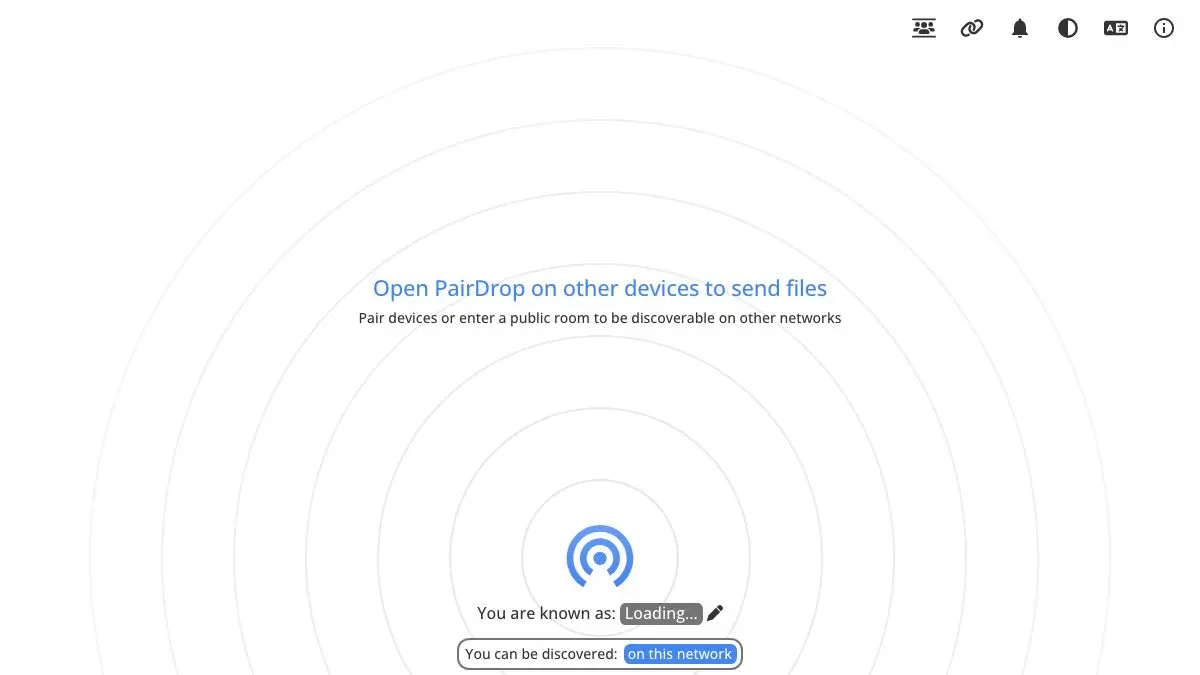
PairDrop is a free, open-source website that sends files and text from one device to another with nothing installed on either. Open pairdrop.net on your laptop and your phone, and each one shows up on the other’s screen as a little icon. Tap it, pick a file, done.
It is AirDrop, except it does not care what logo is on the back of your device.
What is PairDrop?
Everyone has done the stupid dance. You need one photo off your phone and onto your work laptop. So you email it to yourself. Or you upload it to cloud storage, wait, then download it again. Or you dig out a cable that turns out to be charge-only.
PairDrop deletes the dance. It is a browser page, that is the whole app. Open it on both devices and they discover each other. Click the other device’s icon, choose a file or type a message, and it goes. Transfers happen directly between the two browsers rather than sitting on somebody’s server.
It is open source, free, ad-free, funded by donations, and available in dozens of languages. You can install it as a web app so it sits on your home screen like a real one, or self-host the whole thing if you would rather own the infrastructure.
What can you do on PairDrop?
- Send files between anything. iPhone to Windows PC. Android to MacBook. Linux desktop to a friend’s tablet across the table. If it opens a browser, it plays.
- Send text, not just files. There is a message box as well as a file picker. Perfect for beaming a long URL or a Wi-Fi password to a device where typing it would be miserable.
- Send multiple files at once. Select a batch and they go together, rather than one weary transfer at a time.
- Pair devices for repeat use. Devices on the same network appear automatically. For anything further away, pair them once with a short code and they will keep recognizing each other.
- Use rooms for groups. Join a shared room and everyone in it can see each other: handy when a table full of people all took photos of the same thing.
- Install it as an app. Add it to your home screen or dock and it behaves like a native share tool, minus the install.
Tips to get the most out of it
- Bookmark it on every device you own, today. PairDrop is only fast if it is already there when you need it. Nobody wants to type a URL on a smart TV remote in the moment.
- Use the text box more than you think. Sending yourself a link, a snippet of code or a shipping address between devices is the most common use case, and it is instant.
- Rename your device. Each device gets a randomly generated name. If you use PairDrop with the same people often, set something recognizable so nobody sends holiday photos to a stranger’s “Purple Otter.”
- Keep both tabs open during the transfer. The connection lives in the browser. Switching apps on a phone mid-send can interrupt it, so let big files finish before you wander off.
- Pair once for the devices you use constantly. Your phone and your laptop should be permanently paired. Then it works even when you are not on the same Wi-Fi.
- Remember it for the office printer problem. Getting a PDF from your phone onto a shared computer is a two-minute ordeal with email and a ten-second job here.
If you like PairDrop, also try…
- Ninite: same spirit of ruthless usefulness, applied to installing all your apps at once.
- CloudConvert: for when the file arrives in the wrong format entirely.
- Squoosh: shrink images in the browser before you send them anywhere.
- iLovePDF: merge, split and compress the PDFs you are about to beam across the room.
Find more like it in Tools & Utilities.
Open PairDrop on two devices right now, just to watch them find each other. Then never email yourself a photo again.
Frequently asked questions
What is PairDrop?
PairDrop is a free, open-source web app for sending files and text between devices. Open the same page on two devices and they appear to each other as icons, tap one, pick a file, and it transfers. There is nothing to install and no account to create.
Is PairDrop free?
Yes. PairDrop is completely free and open source, with no accounts, no file size paywall and no ads. It is funded by donations, and because the code is public you can also run your own instance on your own server if you prefer.
Does PairDrop work between different operating systems?
That is the entire point. Because it runs in the browser, PairDrop works between iPhone and Windows, Android and Mac, Linux and a smart TV, any combination that can open a web page. It is the cross-platform AirDrop that the platforms themselves never built.
Can PairDrop send files between devices on different networks?
Yes. Devices on the same network find each other automatically, and for devices elsewhere you can pair them with a short code or join a shared room, after which they stay visible to each other. Transfers go peer to peer between the two browsers.