// 2026-08-05 · Weird & Wonderful · by Bob Smith
Pointer Pointer: Photographs of People Pointing at Your Cursor
Put your mouse anywhere on Pointer Pointer and it finds a real photograph of a person pointing at exactly that spot. That is the entire website, and it works.
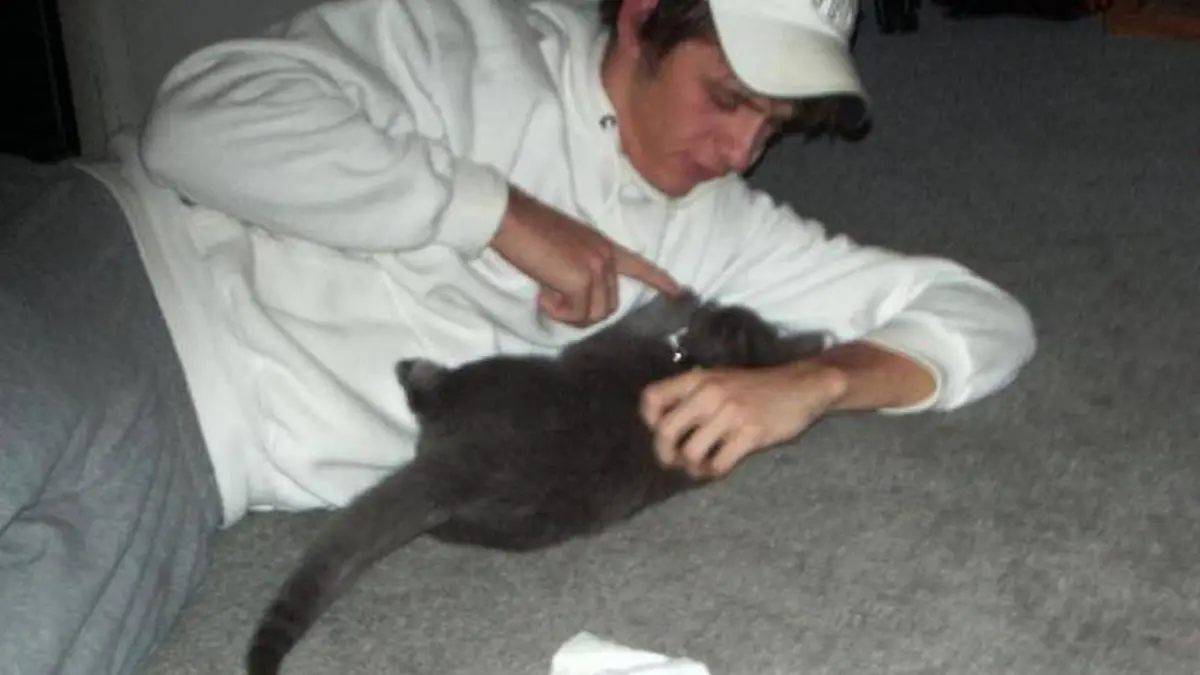
Pointer Pointer does exactly one thing. You put your mouse somewhere on the page. A moment passes. Then a photograph appears of a real person pointing directly at your cursor.
Move the mouse. It happens again. Different person, different photo, same uncanny accuracy. There is no explanation, no menu, and nothing else on the site whatsoever.
What is Pointer Pointer?
It was made in 2012 by Moniker, an experimental interactive design studio in Amsterdam, and it went genuinely viral almost immediately, without any promotion, because it is the kind of thing you send to someone rather than describe.
The mechanism is simple once you know it. The studio assembled a large library of photographs of people pointing, and worked out, for each image, the exact coordinate in the frame that the finger indicates. When your cursor comes to rest, the site finds a photo whose pointing coordinate lines up with your cursor position and shows it to you. That is all. No AI, no clever rendering, just an enormous lookup table and a very patient bit of preparation.
The photographs are the best part. They are not studio shots of models pointing helpfully at a whiteboard. They are people at parties, a man on a boat with a beer, a baseball player walking onto the field, a toddler in a car seat, tourists, wedding guests, someone’s uncle. The tonal range from one cursor position to the next is enormous and completely unpredictable.
There is a small idea buried under the gag. Moniker built it around the observation that the mouse cursor was quietly disappearing from computing, replaced by fingers on glass. Pointer Pointer is a monument to the little white arrow, built out of thousands of human fingers doing the same job by hand.
The deliberate delay before each image loads is a design decision rather than a performance problem. The pause builds a tiny bit of suspense, and it stops the site becoming a strobing mess when you wave the mouse around.
What can you do with Pointer Pointer?
- Move your cursor and wait. That is the whole interface. Stop moving, let the image load, repeat.
- Try the corners. Extreme positions produce the strangest results, because a photo of someone pointing at the very top-left of a frame is an unusual photo to begin with.
- Aim at something specific. Park the cursor over a word or a face in the loaded photo and watch the next person point at that.
- Show it to someone cold. No setup, no explanation. Hand them the mouse and say nothing. The reaction is the product.
- Read the photos, not the trick. Once the novelty of the matching wears off, the images themselves are a strange accidental portrait of people being photographed pointing at things.
- Resize the window. The coordinate space changes with your browser size, which shuffles the pool of possible matches.
Tips to get the most out of it
Use a real mouse. A trackpad works, but a mouse lets you make small deliberate moves, which is how you get the good corner-case results. On a touchscreen the joke does not exist at all.
Go slowly. Flinging the cursor around just cancels loads. One considered move, one pause, one photograph is the correct rhythm.
Make it full screen. More area means more distinct coordinates, and a wider spread of possible photos.
Hunt the edges and the dead center. The middle of the screen has the largest pool of matches and the most boring ones. The extremes are where the genuinely odd photographs live.
Do not expect it to keep going forever. It is a finished art piece from 2012, not a service with a content pipeline. Ten minutes is the natural lifespan of a visit, and that is the right amount.
Send it, do not explain it. Every attempt to describe Pointer Pointer in advance ruins it. The link, with no context, is the correct delivery mechanism.
If you like Pointer Pointer, also try…
- The Useless Web: a button that fires you at another single-purpose site exactly like this one.
- Zombo.com: the other great monument to doing one thing on the internet and nothing else.
- This Person Does Not Exist: endless human faces, none of them real, refreshed one at a time.
- Quick, Draw!: a similarly minimal premise that turns out to have an enormous data set behind it.
More single-serving nonsense in Weird & Wonderful, and more things to do with five spare minutes in Entertainment & Fun.
Frequently asked questions
What is Pointer Pointer?
Pointer Pointer is a single-purpose website that shows you a photograph of a person pointing at wherever your mouse cursor happens to be. You move the pointer, wait a moment, and a new image loads with someone pointing at the new position. It was made by the Amsterdam design studio Moniker and launched in 2012.
Is Pointer Pointer free?
Yes. There is no account, no signup and nothing to install. It is a free art project that has been online since 2012.
How does Pointer Pointer work?
The site holds a large collection of photographs of people pointing, each indexed by the coordinates the finger points to within the frame. When you stop moving your mouse, the site looks up an image whose pointing coordinate matches your cursor position and displays it. The brief pause before the picture appears is intentional.
Does Pointer Pointer work on a phone?
Not really, and that is somewhat the point. The whole joke depends on having a mouse cursor, which touchscreens do not have. Use a laptop or desktop with a mouse or trackpad for the intended experience.