// 2026-08-05 · Entertainment & Fun · by Bob Smith
The Bored Button: One Button, Infinite Nonsense
The Bored Button is a single red button that throws you at a random game, toy or oddity. No menu, no categories, no way to know what happens next.
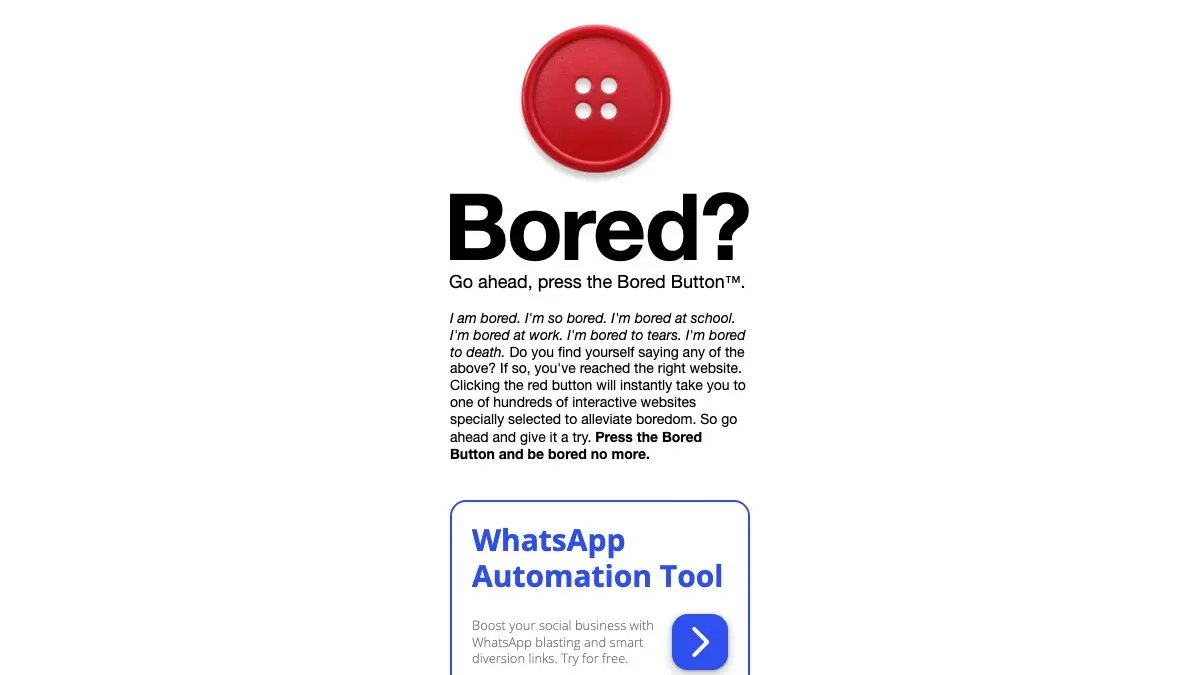
The Bored Button is a website with one job and one control. There is a button. You press it. Something happens. You do not get to know what, you do not get a category list, and you do not get a preview. Press again and something completely different happens.
It is the internet equivalent of a slot machine that only pays out in nonsense.
What is The Bored Button?
The premise is a deliberate rejection of everything modern web design does. No homepage grid, no “recommended for you,” no filters, no infinite scroll of thumbnails helping you decide. Just one enormous button and the implied instruction: stop deciding, start clicking.
What sits behind it is a rotating grab bag. Small browser games, physics toys, reaction tests, generators, drawing experiments, optical illusions, single-joke pages that exist for one gag and nothing more. Some of it is genuinely clever. Some of it is a page that makes a noise. The mixture is the entire experience, because the moment you can predict what you will get, the button stops working.
It hits a specific psychological note that curated sites can’t. When you browse a list, you evaluate. You read titles, you skip things, you feel mildly responsible for the choice. When you press a random button, you have outsourced the decision, and whatever appears gets a fair hearing simply because you did not pick it. Things you would have scrolled past in a list turn out to be quite fun when they are just handed to you.
It is also a survivor from an older strand of the web, the same lineage as the Useless Web and the “random page” links that used to be on everything. That era assumed browsing meant wandering. Most of the modern internet has replaced wandering with recommendation engines that are extremely good at showing you more of what you already looked at. The Bored Button has no idea who you are and no interest in finding out.
The correct dose is small. Ten minutes of button, then close the tab. Push past that and the randomness starts feeling like a treadmill rather than a surprise, which is arguably the honest lesson the site teaches about boredom in the first place.
What can you do with The Bored Button?
- Press the button. That is the primary interface and, strictly speaking, the only one.
- Discover games you would never search for. Tiny browser games surface here that have no marketing, no store page and no chance of finding you otherwise.
- Kill a queue. It works perfectly on a phone in a waiting room, where each press is a self-contained thirty seconds.
- Use it as a group activity. Hand the button around a table. The reactions to a bad result are usually better than the good ones.
- Break a work loop. A single press is a clean mental interruption, in a way that opening a social feed absolutely is not.
- Bookmark the gems. Every so often the button lands on something genuinely worth keeping, and it is on you to save it.
Tips to get the most out of it
Set a press limit before you start. Five presses, ten presses, whatever. The site has no natural stopping point, so bring your own or the button will happily supply an hour.
Give each result twenty seconds. The instinct is to bounce off anything that looks cheap. Half the good stuff on here looks cheap for the first fifteen seconds and then reveals a joke or a mechanic worth staying for.
Bookmark on the spot. There is no back catalog, no history, no search. If you do not save it while you are looking at it, you are relying on chance to see it again.
Turn the sound on, once. A surprising share of the results are audio jokes, and muted they are just a still image with a confusing layout.
Use it as a deliberate palate cleanser. It works best as an interruption to something else, not as the main activity. Boredom cured is fine; boredom replaced by two hours of clicking is not an improvement.
Play it on a big screen with other people. Solo it is a diversion. With an audience it becomes a game show where nobody knows the questions.
If you like The Bored Button, also try…
- The Useless Web: the original take-me-somewhere-pointless button, with a stranger catalog.
- Cloudhiker: random destinations, but curated toward the genuinely interesting end of the web.
- Bored Day: a whole directory of things to do when you have run out of ideas.
- Neal.fun: if you want the well-made interactive toys without the coin flip.
The rest of our time-wasting recommendations live in Entertainment & Fun and Weird & Wonderful.
Frequently asked questions
What is The Bored Button?
The Bored Button is a website consisting of a single large button. Pressing it sends you to a random game, interactive toy or strange page, and pressing it again sends you somewhere else entirely. There is no menu, no list and no way to choose what you get.
Is The Bored Button free?
Yes, it is free and requires no account. The site is ad-supported, so you will see advertising around the content, but pressing the button and playing whatever it gives you costs nothing.
Is The Bored Button safe for kids?
It leans toward harmless silliness, but because the content is random and includes third-party games and pages, it is not a curated children's site. Adult supervision is sensible for younger kids, and anyone can simply press the button again if something is not to their taste.
How do I get back to a page The Bored Button showed me?
Bookmark it immediately, because there is no history feature and no way to search for what you saw. The randomness is the point, which means anything you liked and did not save is genuinely gone until the button happens to serve it again.