// 2026-06-11 · Music & Audio · by Bob Smith
Chrome Music Lab: Learn Music by Playing With It
Chrome Music Lab turns music theory into hands-on browser toys, draw sound, build rhythms, see a spectrogram, make a song. Free, no account, any device.
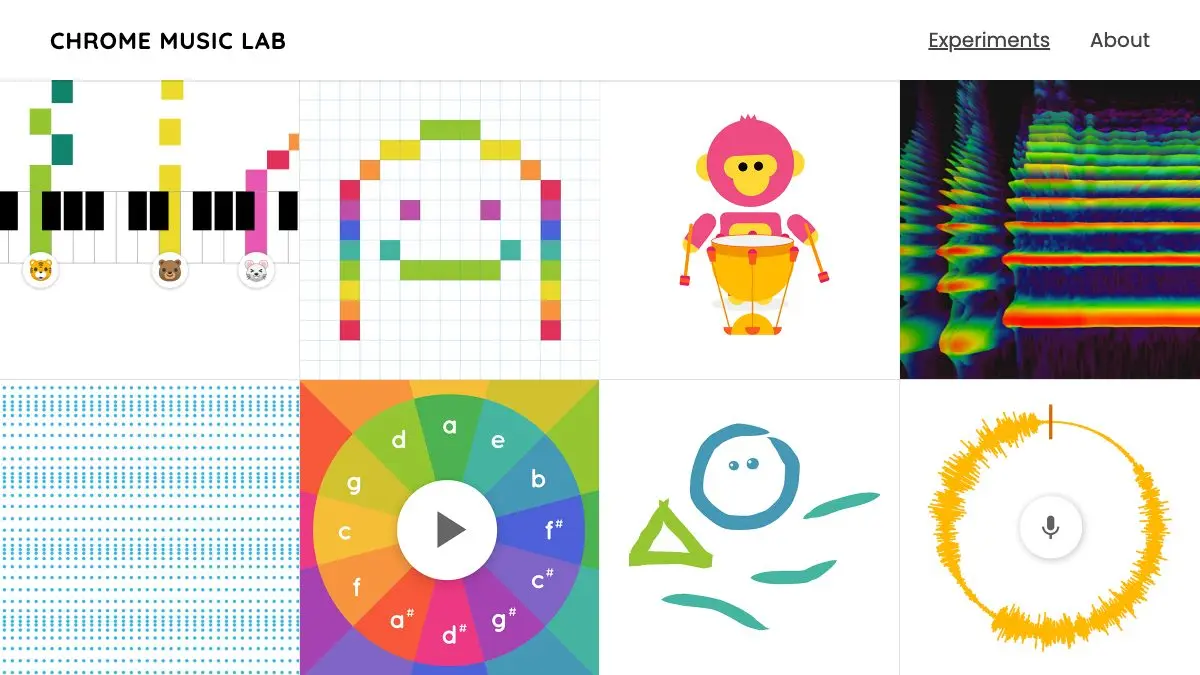
Chrome Music Lab is a free set of browser experiments from Google that teach you how music actually works by letting you mess with it. Each one takes a single concept, rhythm, chords, harmonics, the shape of a sound wave, and turns it into a toy you can click and drag. There’s no theory to read first and no account to make. Music is for everyone, and this is the proof.
What is Chrome Music Lab?
Music education has a well-known problem: the interesting part is playing, and the boring part is the explanation that comes first. Chrome Music Lab inverts that. It hands you the interesting part and lets the understanding arrive on its own.
It’s a collection of small, focused experiments built as collaborations between musicians and coders, all running on freely available web technology. They work on a phone, a tablet or a laptop, and nothing has to be installed. Many are open source, so the code behind them is there if you want to build your own.
The whole thing was made to make learning music more accessible, and it succeeds mostly by being fun enough that you forget you’re learning.
What can you do on Chrome Music Lab?
There are more than a dozen experiments. The standouts:
- Song Maker: the flagship. A grid where you tap in notes and a beat, hit play, and share what you made with a link. Genuinely capable of producing something you’d listen to twice.
- Kandinsky: draw anything at all, and your lines, circles and scribbles become sound. Inspired by the painter who compared painting to making music.
- Spectrogram: see what sound looks like. Compare a flute to a modem to a wine glass, or drag in your own audio, or just sing into the mic and watch the shapes.
- Rhythm: click a grid to build patterns. It quietly teaches why most rhythms repeat every four beats and what happens when they don’t.
- Chords and Arpeggios: press one note, hear the whole chord. Toggle major and minor and finally feel the difference rather than memorize it.
- Sound Waves: blue dots representing air molecules bouncing as sound passes through. Zoom in and watch a single molecule trace the wave.
- Harmonics, Strings, Oscillators, Piano Roll, Melody Maker and Voice Spinner: each one a small, elegant demonstration of something a textbook would take three pages to fumble.
Tips to get the most out of it
Start with Song Maker, not the theory ones. Making something you like first gives you a reason to care about why the chord experiments matter. Do it backwards and it feels like homework.
Use Spectrogram with your own voice. Sing a steady note, then a hissy “sss,” then whistle. Seeing your own sound plotted in real time explains timbre better than any definition.
Turn on your speakers, not headphones, if kids are involved. Half the value is people reacting to each other’s noise. It’s a shared activity disguised as an app.
Try Oscillators at the very bottom of the screen. Pick the square wave and drag right down to the lowest frequencies. The moment a pitch stops being a pitch and becomes a rhythm is a genuinely lovely thing to discover firsthand.
Save the Song Maker link. Your composition lives in the URL, so bookmark it or send it to someone. Otherwise it’s gone when you close the tab.
If you like Chrome Music Lab, also try…
- Patatap: every key on your keyboard triggers a sound and an animation. Pure play.
- Scratch: the same “learn by building” philosophy, applied to programming.
- Pink Trombone: an interactive vocal tract that teaches you how speech is physically made.
- Neal.fun: more small interactive experiments that teach without telling.
Browse more in Music & Audio and Learning & Education.
Open Chrome Music Lab, pick any tile, and start clicking. You will understand something about music within ninety seconds.
Frequently asked questions
What is Chrome Music Lab?
Chrome Music Lab is a free collection of hands-on browser experiments from Google that teach how music works by letting you play with it. Each experiment isolates one idea, rhythm, chords, harmonics, sound waves, spectrograms, and turns it into something you can click, drag or draw. The site's own description is simple: music is for everyone.
Is Chrome Music Lab free?
Yes, completely. Every experiment is free and no account is required, the site explicitly says you just open any experiment and start playing. Many of the experiments are also open source, with code available on GitHub.
Do I need Chrome to use Chrome Music Lab?
Despite the name, it works in modern web browsers on phones, tablets and laptops. The experiments are built on open web technology like the Web Audio API and Tone.js rather than anything Chrome-exclusive, though very old browsers may not support them.
Is Chrome Music Lab good for teaching kids?
Extremely. It was built with classrooms in mind, and teachers use it to connect music to science, math and art. Because nothing needs installing or signing into, you can put a class of any age straight into Song Maker or Rhythm and let them figure it out by ear.