// 2026-07-29 · Learning & Education · by Bob Smith
Scratch: Where Millions of Kids Write Their First Code
Scratch is MIT's free block-based coding playground where kids build games, animations, and stories, then share and remix them. No syntax, no cost, no limits.
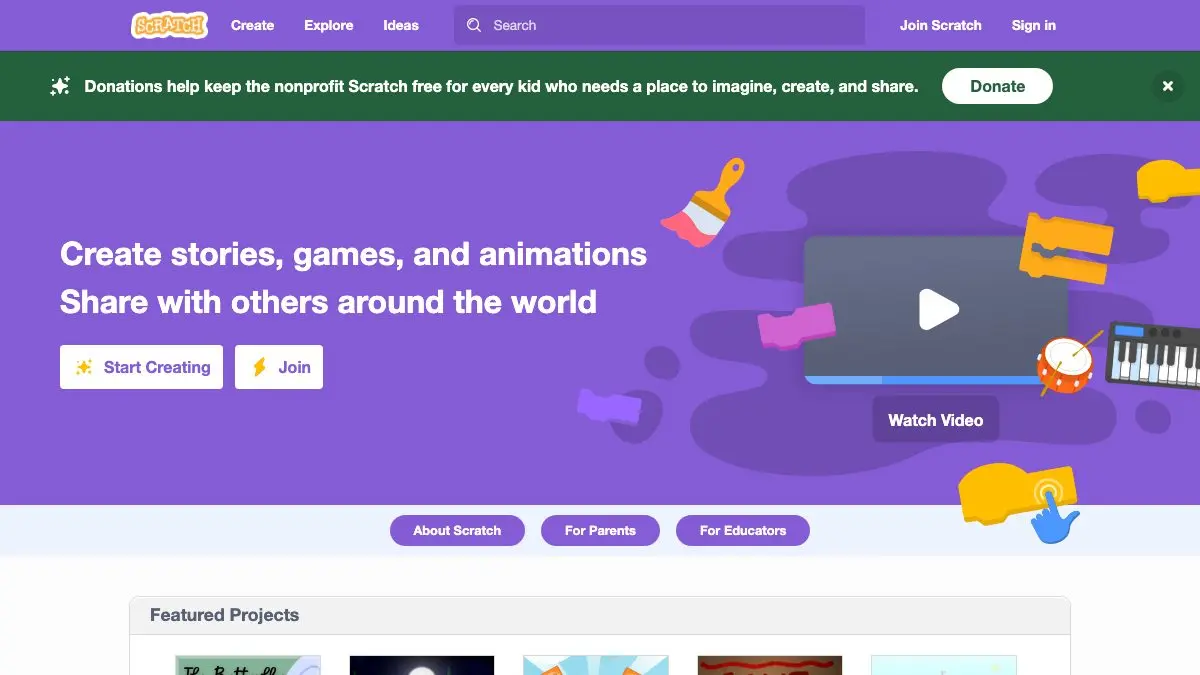
Scratch is a free coding playground from MIT where you build programs by snapping colored blocks together. No semicolons, no syntax errors, no “expected } before end of input” at eleven at night. You drag a block that says when green flag clicked, attach move 10 steps, and something on screen actually moves. It’s how roughly 200 million kids have written their first line of code, and honestly, it’s a great afternoon for adults too.
What is Scratch?
Scratch came out of the MIT Media Lab in 2007, built by a team led by Mitchel Resnick, and it’s now looked after by the Scratch Foundation, an independent nonprofit. The design philosophy has never really changed: a kid should be able to make something they’re proud of in the first twenty minutes, and the tool should never punish them for experimenting.
The blocks do the heavy lifting. Loops, conditionals, variables, events, message broadcasting, cloning, all the real concepts are in there, but they’re shaped like puzzle pieces that only fit together in ways that make sense. You can’t write a syntax error. You can absolutely write a bug, which is the good kind of frustration, and debugging it teaches exactly what debugging teaches in any language.
The other half of Scratch is the community. Every shared project can be opened up, looked inside, and remixed. That’s not a side feature, it’s the point. Kids learn Scratch by cracking open somebody else’s platformer, seeing how the jump physics work, and changing the numbers until the character flies.
What can you do on Scratch?
- Build in the browser. The editor runs online with a stage, a sprite list, a costume painter, and a sound editor built in. Nothing to install.
- Make more than you’d expect. Platformers, point-and-click adventures, quizzes, music sequencers, animated stories, physics toys, art generators. People have built genuinely impressive things inside these blocks.
- Explore and remix. Browse featured and trending projects, hit “See Inside” on anything, and fork it into your own copy with one click.
- Follow the tutorials. Guided starters walk you through a first animation, a chase game, a name animation, and more, with the instructions sitting right beside the editor.
- Raid the Ideas section. Activity cards and starter projects for when the blank stage is intimidating.
- Work offline. A downloadable editor exists for classrooms and homes with unreliable internet.
- Switch languages. The interface is translated into a huge number of languages, and the blocks change with it: a big deal for kids who don’t read English.
Tips to get the most out of it
- Remix before you build from scratch. Find a project close to what you want, hit See Inside, and change one thing. Reading working code is faster than staring at an empty stage.
- Learn broadcasts early. Message broadcasting is the concept that separates a wobbly first project from a real one. It’s how you get scenes, levels, and menus to talk to each other.
- Use clones instead of copy-pasting sprites. Ten enemy sprites is a nightmare to maintain. One sprite that clones itself is how experienced Scratchers do it.
- Draw in vector mode. The paint editor has bitmap and vector modes. Vector keeps your art crisp when sprites scale, and switching later is a pain.
- Publish something small and unfinished. The community is heavily moderated and generally kind, and a shared project gets comments that teach you more than another hour alone will.
If you like Scratch, also try…
- Khan Academy: the natural next step when block coding starts feeling small and typing sounds appealing.
- Chrome Music Lab: the same “learn by playing” instinct, pointed at rhythm, harmony, and sound.
- Piskel: a free pixel-art and sprite animation editor for when your Scratch game deserves better graphics.
More like this on the Learning & Education page. Or just open Scratch, grab the green flag block, and make a cat do something stupid. That’s how everyone starts.
Frequently asked questions
What is Scratch?
Scratch is a free block-based programming platform where you build games, animations, and interactive stories by snapping colored blocks together instead of typing code. It began at the MIT Media Lab and is now run by the nonprofit Scratch Foundation. Around 200 million young people have used it to create more than a billion projects.
Is Scratch free?
Yes, Scratch is completely free for everyone, free to use, free to publish projects, and free for schools. It is funded by a nonprofit foundation and its supporters, with no subscription, no ads aimed at kids, and no paid tier.
What age is Scratch for?
Scratch is designed primarily for children roughly 8 to 16, but plenty of adults use it too, especially teachers and hobbyists prototyping game ideas. Younger children can start with ScratchJr, a simpler tablet version built for ages 5 to 7.
Can you use Scratch without an account?
You can open the editor and build a project without signing up, and you can browse and play everything other people have shared. An account is only needed to save your work online, share projects, and comment or remix within the community.