// 2026-08-04 · updated 2026-08-10 · Tools & Utilities · by Bob Smith
InviteCount: An All-in-One Wedding Planner, With No Subscription
InviteCount pairs 179 live-editable wedding website themes with RSVP tracking, seating, budget, checklist and guest photos — free up to 30 guests, then one flat price per wedding.
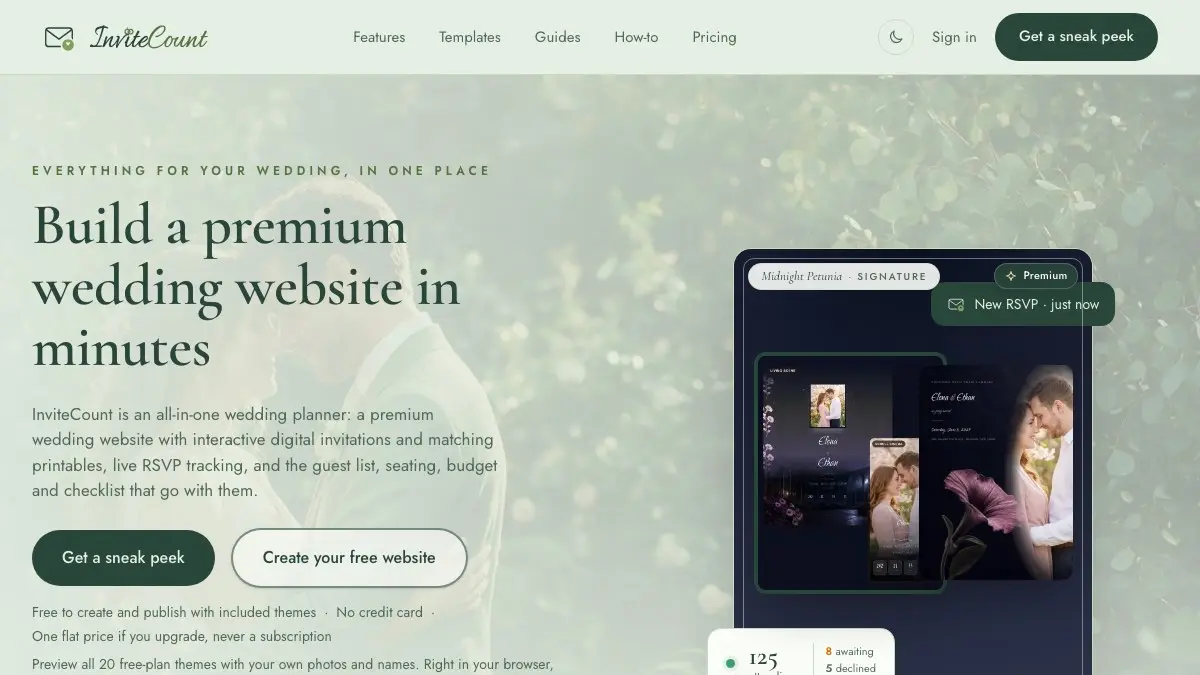
Most wedding websites feel like a chore wearing a bowtie: dated themes, a cluttered dashboard, one more password to forget, and a subscription still billing you on your second anniversary. InviteCount is the opposite — a premium wedding website with the whole planning suite behind it, free for small weddings and one flat price for everything else.
It started as a website builder. It has since grown into the thing couples actually needed: one calm workspace holding the site, the invitations, the guest list, the seating, the budget, the checklist and the photos.
What is InviteCount?
InviteCount is an all-in-one wedding planner built on one belief: your wedding site should look like a designer made it, not like you filled in template #12. There are 179 themes, all of them live-editable in your browser, and all of them previewable with your own names and photos before you create an account. Nothing uploads during the preview; it just quietly becomes your wedding site in front of you.
The pricing follows the same keep-it-simple instinct, and it is worth being precise about it. Up to 30 guests, the whole thing is free — not a trial, not a watermarked demo. Past that you pay once: $49 for up to 100 guests, $79 for unlimited. Per wedding, not per month. The company makes a point of the fact that the planning tools themselves are never the paywall; paid tiers raise the guest cap and unlock the premium looks.
That matters more than it sounds, because the two normal ways to pay for a wedding website in 2026 are a subscription that outlives the marriage’s first year, or a “free” site funded by advertising vendors at your guests. This is neither.
What can you do on InviteCount?
- Build a premium website in minutes. Pick from 179 themes, edit live, publish. Twenty of them publish on the free plan; the rest unlock with any paid tier.
- Design the invitation and the site together. The Card Studio builds an animated invitation card that opens like the real thing, and the matching website comes from the same design — one look, both places.
- Print what you want printed. Every design ships a matching printable card suite as a print-ready PDF, included on every plan. Order prints anywhere or run them off at home.
- Collect RSVPs seamlessly. Guests click your link or scan a QR code; attending, awaiting and declined counts update live, with analytics and a guest-list export behind them.
- Ask exactly what you need. Meal choices, dietary restrictions, plus-ones, song requests, any custom question. Answers land in your dashboard, not a group chat.
- Plan the guest list and the tables. The seating planner turns confirmed guests into tables and prints the charts.
- Run the money and the timeline. Budget and expense tracker, an adaptive to-do checklist that counts down to your date, and a run-of-the-day schedule you can hand to the wedding team — all free on every plan.
- Collect guest photos with a printable QR. Drop the themed QR code on the tables and every guest’s phone photos land in your shared album. Fifty photos free, 500 on Premium, unlimited on Signature. No app installs, no “please AirDrop me that” chase.
- Keep it private. Password protection is on every plan including the free one, and sites are kept out of search engines by default.
- Find the vendors too. There is a vendor directory of venues, photographers and florists listed by the areas they actually serve.
Tips to get the most out of it
Preview themes with your real photos first. The in-browser preview uses your actual pictures and names, and works before you sign up. Fastest way to find your theme instead of squinting at stock couples.
Check your guest count against the free tier honestly. Thirty guests is a real intimate wedding, and everything works at that size. Above it, decide between $49 and $79 on guest numbers rather than features — the tools are the same either way.
Put the QR code on printed invites. Older guests get the paper they expect; you still get the RSVP in your dashboard instead of a voicemail.
Do seating after RSVPs close. Dragging confirmed guests around tables is almost fun. Almost.
Print the photo QR for every table. Guests snap all night anyway; the QR quietly collects the shots you would otherwise never see. The best wedding photos are rarely the photographer’s.
Decide the wind-down date early. The site retires about a month after the wedding unless you say otherwise. If you want it as a keepsake, turn that off while you are thinking about it, not two years later.
If you like InviteCount, also try…
- FutureMe: write a letter to your married-selves and schedule it for your tenth anniversary.
- Photopea: free Photoshop-grade editing for DIY save-the-dates and signage.
- PairDrop: beam wedding photos between phones at the reception, no cables, no cloud.
- When2meet: for pinning down the dress fitting, the tasting and every other date six people need to agree on.
More practical picks in Tools & Utilities.
Beautiful website, seamless RSVPs, zero stress: InviteCount. Your group chat will thank you.
Frequently asked questions
What is InviteCount?
InviteCount is an all-in-one wedding planner built around your wedding website. You pick from 179 designer themes, edit it live in the browser, and publish a site with interactive digital invitations and matching printable cards. Behind it sit the tools the day actually needs: live RSVP tracking with analytics, guest list and seating planner, budget tracker, an adaptive to-do checklist, a run-of-the-day schedule for your wedding team, and a shared guest photo album fed by a printable QR code.
Is InviteCount free?
It is genuinely free for weddings of up to 30 guests, and that free plan is not a stripped demo: you get 20 publishable themes, RSVPs with analytics, printable invitation cards, the seating planner with printable charts, run of the day, the to-do list, the budget tracker, password protection and a 50-photo guest album. Above 30 guests you upgrade once. Premium is $49 one time for up to 100 guests, Signature is $79 one time for unlimited guests. There is no subscription and nothing recurring to cancel.
How much does InviteCount cost, and is it a subscription?
There is no subscription. Every paid plan is a one-time payment for the single wedding you are planning. Premium at $49 raises the cap to 100 guests and adds all 179 themes, premium page layouts, all four interactive save-the-date cards, your own custom domain, a 500-photo album and the removal of InviteCount branding. Signature at $79 lifts the guest limit entirely, makes the photo album unlimited, allows five custom page sections and adds priority support. Prices are shown in your local currency where supported, including US dollars, pounds, euros, Canadian and Australian dollars and Philippine pesos.
Do my guests need an account or an app to RSVP?
No, and they are never charged anything either. Guests open your link or scan a QR code, RSVP in their browser in about a minute, and add photos to the shared album the same way with no app to install. Honeymoon-fund gifts go directly to your own payment handle rather than through InviteCount.
Can guests choose their meal when they RSVP?
Yes. Meal and food choices, dietary restrictions, plus-ones, song requests or any custom question you write can all be part of the RSVP form. Every answer lands in your dashboard with running counts and an export, so you can hand the caterer exact numbers instead of counting a group chat.
What happens to the website after the wedding?
By default the site winds down about a month after the wedding, once the thank-yous have gone out. You can move that date yourself, or switch the wind-down off entirely and keep the website online as a keepsake. That is unusual: subscription-based builders take the site down when you stop paying, and several one-time competitors expire it on a fixed 6 to 24 month clock.