// 2026-08-01 · Music & Audio · by Bob Smith
The Nostalgia Machine: Pick a Year, Hear Your Childhood
The Nostalgia Machine plays the hits from any year between 1951 and today. Pick a year, hit play, and get ambushed by a song you forgot you knew by heart.
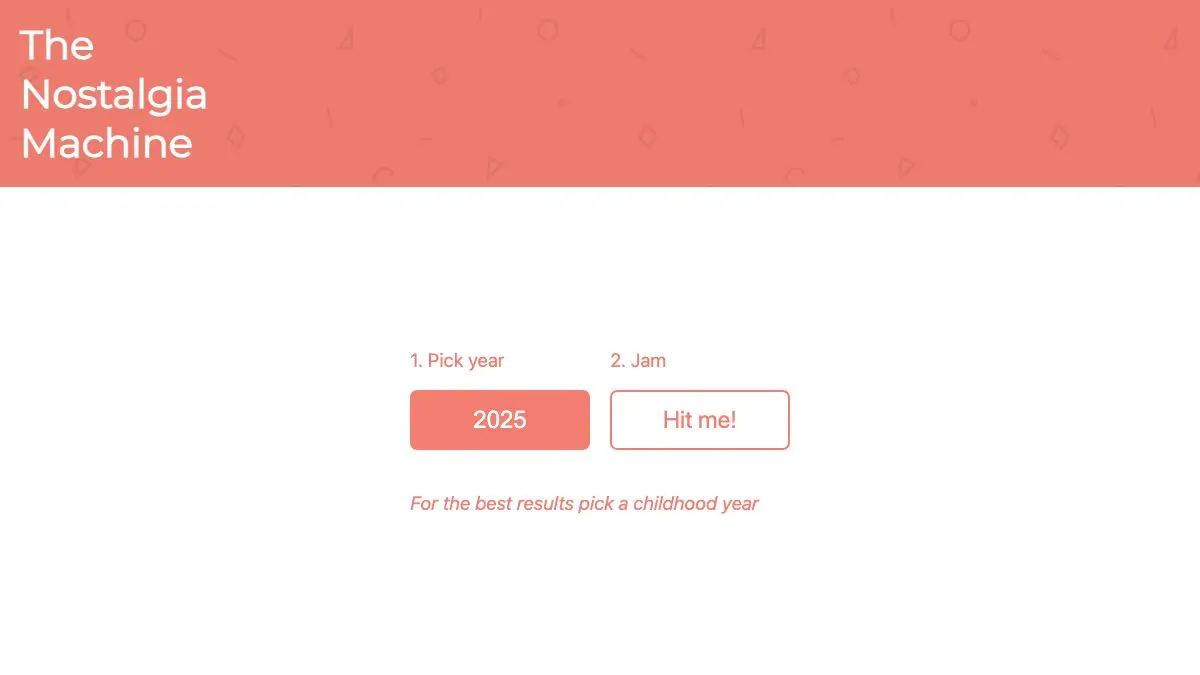
The Nostalgia Machine is a website that plays the hits from any year you pick. Choose a year from the dropdown, anything from 1951 to right now, hit the big button, and you get a grid of music videos from that exact slice of pop history. Its own instruction is the best one: for the best results, pick a childhood year. Do that, and prepare to be emotionally ambushed by a song you haven’t thought about in twenty years.
What is The Nostalgia Machine?
It’s a beautifully single-minded little site. The homepage has two things on it: a year picker and a button that says “Hit me!” That’s the entire interface. No login, no algorithm learning your taste, no mood-based playlist with a stock photo on it. Just a year, and what everyone was listening to during it.
The tagline is “relive the music of your childhood,” and that’s precisely the effect. Streaming services are great at giving you what you already like. They’re terrible at giving you the song that was inescapable in the summer you turned fourteen, the one you didn’t choose, didn’t own, and absolutely know every word of anyway. The Nostalgia Machine specializes in exactly those.
Pick 1997 and it’s not a curated retro playlist. It’s the actual chart furniture of 1997, thumbnails and all, complete with the tracks you’d have sworn you’d forgotten. The videos play through YouTube right there in the page, so you get the hair, the fisheye lenses, and the questionable CGI along with the music.
What can you do on it?
- Pick any year from 1951 to the present and get a full wall of that year’s hits as clickable video thumbnails.
- Click a thumbnail to play instantly: the video opens in a player panel without losing your place in the grid.
- Build a queue. Every tile has a plus button. Stack up a dozen tracks, and the Now Playing panel shows what’s up next.
- Skip freely. A skip button jumps to the next queued song, which you’ll use constantly once a novelty track shows up.
- Copy or share a link to whatever’s playing, which is the site’s main social function: sending a friend a song from the year you both turned twelve.
- Try the spin-offs. The same team points to companion sites for K-pop and for Latin music, built on the same idea.
Tips to get the most out of it
- Go for age 12 to 16, not your favorite year. The music you loved you already own. The music that was simply around while you were becoming a person is the stuff that detonates. That’s usually your early teens.
- Queue before you play. Add ten or twelve songs first, then start it. Otherwise you’ll spend the whole session clicking instead of listening, and the background-soundtrack effect never kicks in.
- Don’t skip the songs you hated. The tracks you rolled your eyes at in 2003 are, weirdly, the most potent time machines. Sincere favorites are less effective than universally-mocked chart filler.
- Compare two adjacent years. Load 1994, then 1996. Pop moves fast, and hearing the shift across twenty-four months is genuinely interesting rather than just sentimental.
- Try a year before you were born. Your parents’ teenage years work almost as well, especially if you grew up hearing their records through a wall.
If you like The Nostalgia Machine, also try…
- Radiooooo: a map of the world crossed with a timeline, so you can hear 1960s Ethiopia or 1980s Brazil.
- My90sTV: the same trick applied to television instead of radio, complete with channel flipping.
- Forgotify: the exact opposite experience: songs nobody has ever listened to, not songs everybody has.
Dig through the rest of the Music & Audio shelf when you’re done. But first, go pick a year on The Nostalgia Machine. You know which one.
Frequently asked questions
What is The Nostalgia Machine?
The Nostalgia Machine is a website that plays the hit songs from any year you choose, from the early 1950s through to the present. You pick a year from a dropdown, hit the button, and get a wall of music video thumbnails from that year to play in any order. Its own advice is to pick a year from your childhood.
Is The Nostalgia Machine free?
Yes, it is free and needs no account or signup. The videos stream through YouTube's player embedded in the page, and the site carries some advertising to cover its costs.
What years does The Nostalgia Machine cover?
The year picker runs from 1951 all the way to the current year, so it covers more than seven decades of pop music. Coverage is richest from the 1980s onward, where more of the hits have official music videos available.
Can I queue up songs on The Nostalgia Machine?
Yes. Every video tile has a plus button that adds the track to your queue, and the Now Playing panel shows what is up next with a skip button. That lets you build a playlist for a single year and let it run in the background.