// 2026-08-14 · Privacy & Security · by Bob Smith
AmIUnique: The Research Project That Tells You How Rare Your Browser Is
AmIUnique fingerprints your browser, shows you the exact rarity of every attribute it read, and lets you watch how your fingerprint drifts over months — run by French academics, free, no account.
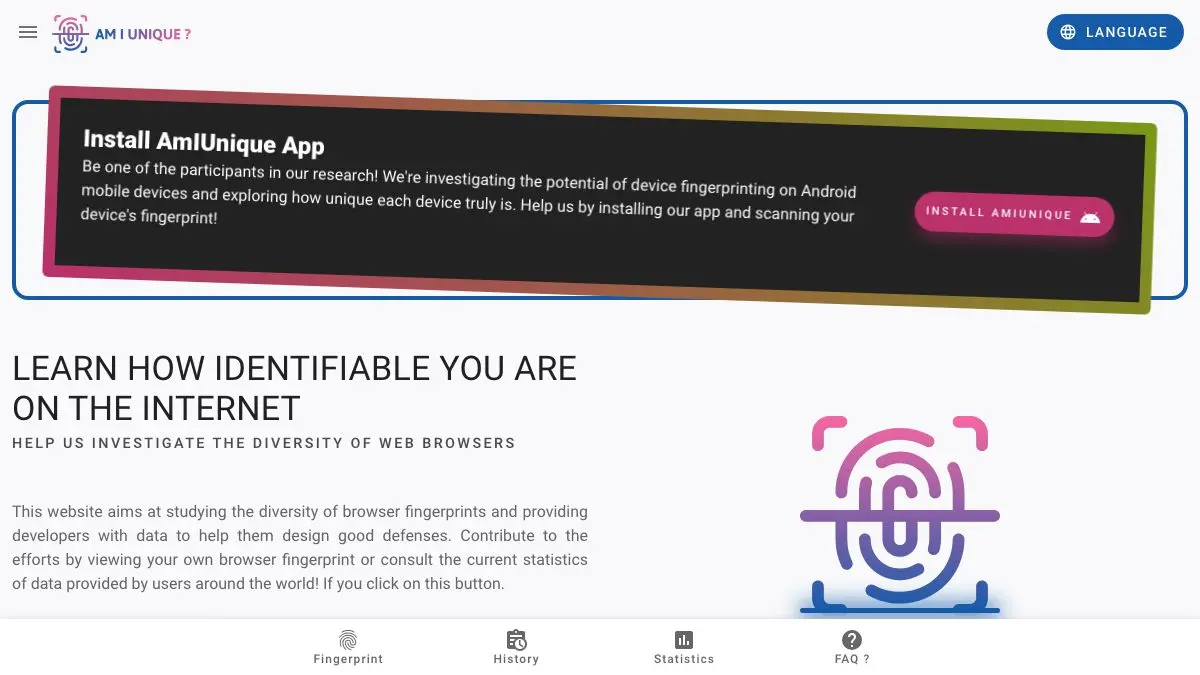
AmIUnique asks a question with a depressing answer. Out of everyone who has ever taken this test, how many browsers look exactly like yours?
Click the button and wait a second. The number that comes back is almost always the same number: zero. Not “one in a thousand”. Zero. Nobody else has your particular combination of screen size, time zone, font list, graphics quirks and header ordering, which means a website does not need a cookie to recognise you tomorrow. It just needs to write down what it already sees.
What makes AmIUnique worth the visit rather than just the scare is what it shows you afterwards.
What is AmIUnique?
AmIUnique is a browser fingerprinting test run as an academic research project. It launched in November 2014, growing out of Pierre Laperdrix’s PhD work in the DiverSE team at Inria, and it is now maintained by researchers at Université de Lille with the site hosted at Inria in Villeneuve d’Ascq.
The project has a stated purpose beyond alarming visitors: to measure how diverse browser configurations really are, and to give developers data they can use to design defences. That research produced the paper the site is best known for, Beauty and the Beast: Diverting Modern Web Browsers to Build Unique Browser Fingerprints, presented at IEEE Security & Privacy in 2016. It analysed 118,934 fingerprints collected through the site between November 2014 and February 2015 and found 89.4% of them were unique — and demonstrated that HTML5 additions like the canvas element had handed trackers some of the most discriminating attributes available.
Your result page lists every attribute the site managed to read, grouped into HTTP headers and JavaScript-accessible properties, with the actual canvas and WebGL images your machine drew. Beside each one sits a similarity ratio: the percentage of the database that shares your exact value. This is the useful bit. A high ratio means you blend in; a low one means that single attribute is doing the work of identifying you. Most people discover their font list or their canvas rendering is effectively a serial number.
What can you do with AmIUnique?
- Get the headline verdict. How many browsers out of everyone observed share your full fingerprint, and what percentage of the database that represents.
- Read the per-attribute rarity. Every header and JavaScript property with its similarity ratio, so you can see precisely which settings betray you rather than just being told you are unique.
- Look at your own canvas and WebGL renderings. The site shows the images your GPU and font stack actually produced. Seeing the artefacts makes the concept click faster than any explanation.
- Browse the global statistics. A whole section charts the distribution of each attribute across the entire dataset, which is a genuinely interesting picture of what the browsing population looks like.
- Track your fingerprint’s history. A four-month cookie lets the site show you how your own fingerprint has shifted between visits.
- Install the extension. Available for Firefox and Chrome under the GPLv3, it keeps a personalised timeline and notifies you when your fingerprint changes — a browser update or a new font is often enough.
- Test a phone. There is an Android app doing the same job for mobile device fingerprinting.
- Read the privacy tools page. A curated list of blockers, browsers and search engines, with the project’s honest view of which approaches work.
- Read the research blog. Posts at blog.amiunique.org cover work like GPU fingerprinting via WebGL and CPU port contention side-channels in browsers.
Tips to get the most out of it
- Ignore the headline number, read the table. “You are unique” is true for nearly everyone and tells you nothing actionable. The similarity ratios tell you which two or three attributes are actually carrying your identity.
- Run it in several browsers. Chrome, Firefox, Safari, a private window, and Tor Browser if you have it. The gap between them is the clearest demonstration of what anti-fingerprinting design buys you.
- Take the project’s warning about spoofers seriously. The privacy tools page is blunt: fingerprinters can often detect spoofing, which flags you as a liar and makes you more distinctive, not less. Blocking the scripts is the more reliable move.
- Resist the urge to pile on extensions. Each unusual tweak narrows the crowd you are hiding in. The most private configurations are the boring, popular ones.
- Compare it against Cover Your Tracks. Different datasets, different methods, different verdicts. Where they disagree is where you learn how much any single uniqueness score is really worth.
- Use the extension if you want the longitudinal view. Fingerprints drift constantly, and watching yours change after an OS update is the part of the story a one-off test cannot show you.
- Know that some of the site is dated. The privacy tools list still recommends HTTPS Everywhere and Lightbeam, both long since retired, the extension’s last Firefox update was in 2021, and the blog stopped in 2022. The fingerprinting engine and statistics are the parts to rely on.
If you like AmIUnique, also try…
- Cover Your Tracks: the EFF’s closest equivalent, which adds a real test of whether your blocker stops trackers and scores your fingerprint in bits of entropy.
- BrowserLeaks: less of a verdict, more of a laboratory — a separate page for every leak vector, from WebRTC to your DNS resolver.
- Webkay: the same lesson delivered in one plain-language page, and the link to send to someone who has never thought about this.
- Privacy Guides: where to go once the test has convinced you and you want vetted advice on what to change.
Browse more things worth bookmarking in our Privacy & Security collection.
Frequently asked questions
What is AmIUnique?
AmIUnique is a free browser fingerprinting test and research project. You click a button, it reads the details your browser hands out to any website — HTTP headers, screen resolution, time zone, installed fonts, plugins, canvas and WebGL renderings, media devices, keyboard layout — and tells you how many other visitors in its database share exactly that combination. For most people the answer is none. It launched in November 2014 out of Pierre Laperdrix's work in the DiverSE team at Inria, and is now maintained by researchers at Université de Lille with the site hosted at Inria.
Is AmIUnique free, and do I need an account?
It is free and there is no account, no signup and no ads. The site is funded as academic research rather than as a product, which is why there is no paid tier to upsell you to. The one thing you give up in exchange is your fingerprint, which becomes a row in the research dataset — that is the entire point of the project. There is also a free browser extension and an Android app, both optional.
What does AmIUnique do with the data it collects?
It stores your fingerprint to build statistics on how diverse browsers actually are, which is the research question the project exists to answer. The privacy policy states there are no third-party service providers, and that only aggregated statistical data is published. IP addresses and timestamps are logged as housekeeping data, partly to study how often a browser that changes IP could still be followed by its fingerprint alone. Two cookies are set: one lasting five minutes to avoid recording you twice, and one lasting four months so the site can show you how your own fingerprint has changed. The policy does not describe a deletion request mechanism, so treat submission as permanent.
How is AmIUnique different from the EFF's Cover Your Tracks?
Cover Your Tracks does two jobs — it tests whether your blocker actually stops tracking ads and invisible trackers, and it scores your fingerprint's uniqueness in bits of entropy. AmIUnique does not test your blocker at all. What it does instead is give you a per-attribute similarity ratio against its own database, plus browsable global statistics for every attribute it measures, plus a personal history of how your fingerprint has drifted over time. The two also have separate datasets, so their uniqueness verdicts will not match, and neither number is an absolute truth about the whole web. Running both is genuinely worthwhile, because they disagree in informative ways.