// 2026-08-05 · Privacy & Security · by Bob Smith
Webkay: Everything Your Browser Tells Every Website You Visit
Webkay shows you, on one page, what any website silently learns the moment you arrive: your location, hardware, network, browser and more. No permissions needed.
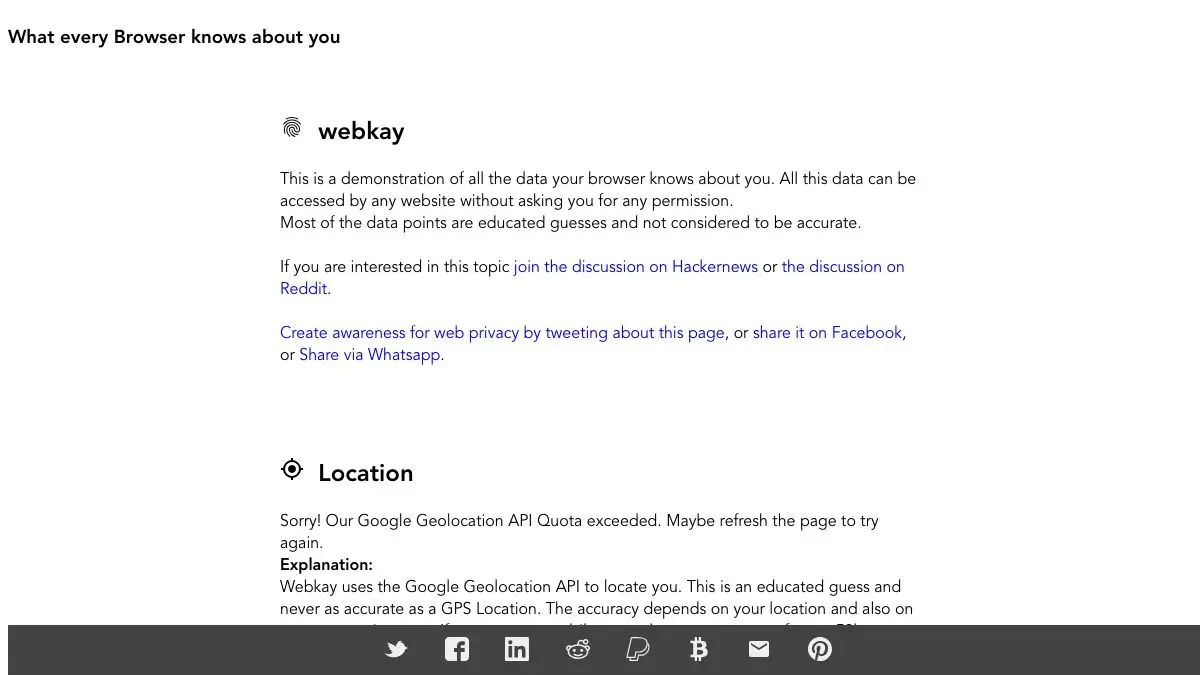
Webkay answers a question most people have never thought to ask: what does a website know about me before I do anything at all? Not after I sign up, not after I accept cookies, but in the first second, just from having loaded the page. The answer, laid out on one long scrolling page, is considerably more than you expect.
What is Webkay?
The name is short for “what every browser knows about you,” and the site is a demonstration rather than a product. Developer Robin Linus built it as an open source page that simply reads everything an ordinary website can read about a visitor and prints it back at them.
Nothing on it requires a permission prompt. There is no consent dialog, no location request, no “allow access to your camera” popup. Every value on the page is available to every site you visit, all the time, because it is part of how browsers work.
Some of it is mundane. Your browser and version, your operating system, your screen resolution and color depth, your language settings. Sites use these to serve the right layout and the right download link, which is a legitimate need.
Some of it is more pointed. Your IP address and the approximate city it maps to, the network provider routing your traffic, whether you are on a laptop or a phone, how much of your battery is left, and how your pointer behaves. Individually each item is trivial. Combined, they form a fingerprint distinctive enough to recognize you across sites without any cookie at all, which is the actual lesson of the page.
Webkay is effective because it does not argue. It does not lecture you about surveillance capitalism or ask you to install anything. It just shows you a list, and the list is your own information, and you scroll and keep finding another line that you did not expect to be there.
What can you do with Webkay?
- See your location without granting permission. IP-derived city, region, country, and the provider carrying your traffic, all determined before you click anything.
- Read your own device profile. Operating system, browser, CPU characteristics, screen dimensions, and whether you are on a touch device.
- Check your battery level. One of the more unsettling items, since it is exactly the kind of thing nobody would guess a webpage could see.
- Watch live sensor and input data. Pointer movement and, on supported devices, orientation readings update in real time as you move.
- Understand fingerprinting concretely. The page makes the abstract idea of a browser fingerprint into a specific list of specific values.
- Test your privacy setup. Load it with your VPN on and off, or in a hardened browser versus a default one, and see what actually changes.
Tips to get the most out of it
Open it twice: once normally, once through your VPN. The comparison is the most useful thing you can do with the page. You will find that the location changes and almost nothing else does, which is a good calibration of what a VPN is and is not for.
Try it in different browsers on the same machine. A default browser and a privacy-focused one produce visibly different pages, and seeing which fields go blank tells you what those protections are actually doing.
Load it on your phone. Mobile exposes a different set of values, including orientation and motion data, and the phone version is generally the more surprising one.
Show it to someone who thinks they have nothing to hide. This is the site’s real superpower. Abstract privacy arguments bounce off people; a page that names their city and reads their battery level does not.
Do not panic about any single line. Nothing here means a specific site is tracking you. The risk is combinatorial, and understanding that is more useful than being alarmed by the battery reading.
Use it as a starting point, not a conclusion. Once you have seen the exposure, the follow-up is a browser and extension setup that reduces it. Webkay diagnoses; it does not fix.
If you like Webkay, also try…
- Cover Your Tracks: the EFF’s test of how uniquely identifiable your specific browser fingerprint is.
- Blacklight by The Markup: point it at any site and see which trackers are actually running there.
- Privacy Guides: the sober, practical reference for what to change once you have seen all this.
- Link Cleaner: strip the tracking parameters out of URLs before you share them.
More eye-opening in Privacy & Security, and more things worth knowing in Learning & Education.
Frequently asked questions
What is Webkay?
Webkay is a demonstration page that displays the information your browser reveals to any website you visit, without you granting a single permission. It shows things like your approximate location, IP address and network provider, operating system, browser details, screen and hardware characteristics, and battery status. The point is educational: it collects nothing and simply mirrors back what every other site can already see.
Is Webkay safe to use?
Yes. Webkay is an open source demonstration by developer Robin Linus that runs entirely in your browser and exists to show you what is already being exposed. It is not harvesting the data it displays, it is showing you that the data is available to anyone.
How does a website know my location without asking?
Your IP address maps to an approximate geographic area and to the network provider routing your traffic, which is usually enough for city-level accuracy without any permission prompt. The precise location prompt you are used to seeing is for GPS-level accuracy, which is a different and much finer thing. A VPN changes the IP-based answer, but does not affect the rest of what your browser exposes.
Can I stop websites from seeing this?
You can reduce it but not eliminate it. A VPN masks your IP-derived location, a privacy-focused browser limits fingerprinting surfaces, and blocking scripts cuts off many of the more invasive checks. Some information, like your general browser and platform, is unavoidable because sites need it to render pages correctly.