// 2026-08-05 · Privacy & Security · by Bob Smith
Blacklight: See Exactly Who Is Watching You On Any Website
Blacklight by The Markup scans any URL in real time and lists the ad trackers, third-party cookies, session recorders and fingerprinting scripts running on you.
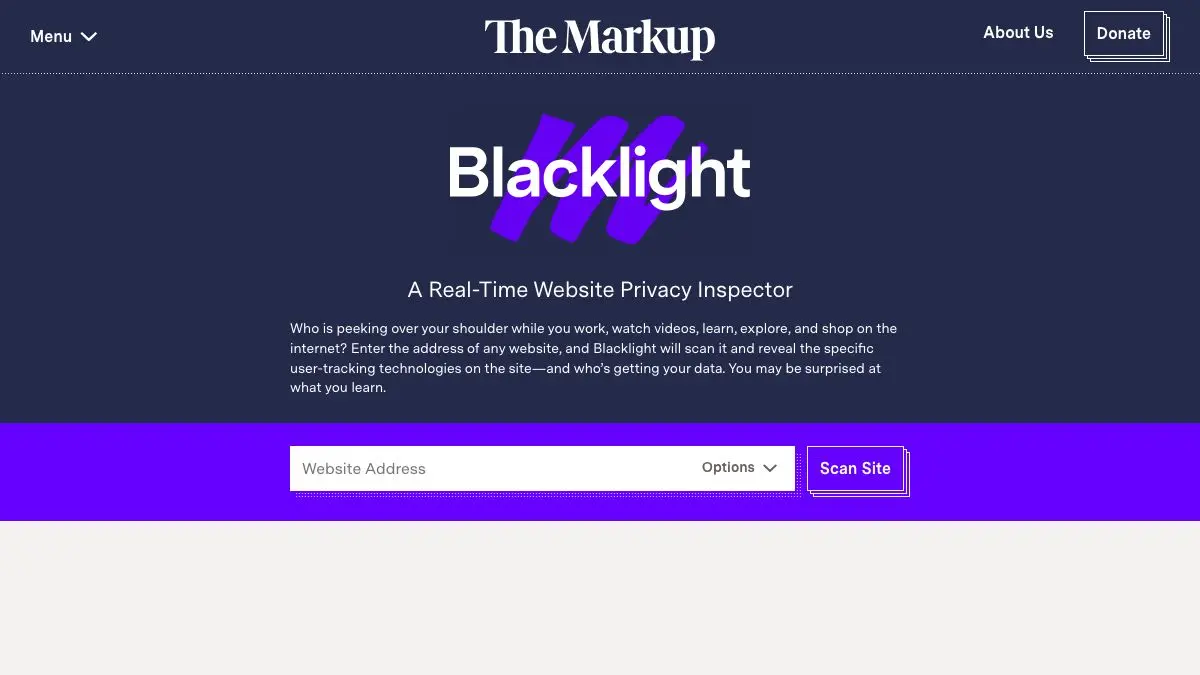
Blacklight asks a question everyone has vaguely wondered about and almost nobody has been able to answer: what is this website actually doing to me right now? Paste in a URL, wait about thirty seconds, and you get a receipt. Nine ad trackers. Twelve third-party cookies. A session recorder that logs your mouse movements. A script that captures what you type into the form before you press submit.
It is the most sobering thirty seconds on the internet, and it is free.
What is Blacklight?
Blacklight is a project of The Markup, a nonprofit newsroom that covers technology by doing actual measurement rather than repeating press releases. It launched in 2020 as a piece of investigative tooling: rather than write one story about surveillance on the web, they built the instrument and handed it to everyone.
The mechanism is simple and clever. When you enter a URL, Blacklight loads that page in an instrumented browser running on its own infrastructure, then watches every request, cookie and script behavior. It is not guessing from a list. It is opening the page and taking notes.
What it reports is deliberately specific. Third-party ad trackers. Third-party cookies. Whether the site is fingerprinting your browser by drawing invisible images to a canvas and hashing the result, a technique that identifies you even with cookies disabled. Whether it is running a session recorder, which reconstructs your visit as a replayable video of your cursor and keystrokes. Whether it is key logging, capturing form input as you type it rather than when you submit. Whether it is loading Meta or Google tracking pixels that quietly link the visit back to your account elsewhere.
The framing is the important part. Each finding comes with an explanation of what the technology does, why a site might use it, and why you might not love it. No score to game, no vendor pitch at the end. It is the same tool The Markup used for its own reporting on healthcare sites, government portals and news publishers, which is how it kept turning up findings that made organizations quietly change their code.
And because it runs remotely, you are not the one visiting the site under test.
What can you do with Blacklight?
- Scan any public URL. Paste an address, hit the button, wait for the report. No account, no extension, no configuration.
- See the tracker count in context. Blacklight tells you how many ad trackers it found and how that compares with the average across the many thousands of popular sites it has measured.
- Check for session recording. Find out whether a site is replaying your visit as video, which is far more common on retail and banking sites than most people assume.
- Detect key logging. See whether form fields are being read as you type, before you ever agree to submit anything.
- Spot fingerprinting. Canvas fingerprinting survives cookie deletion and private browsing, and Blacklight tests for it directly.
- Identify who the data goes to. The report names the third parties receiving requests, so you can see which ad networks and analytics firms are on the page.
- Share the result. Every scan produces a permanent link, which is unreasonably useful in an argument with a colleague about whether a vendor is “privacy-first.”
- Read the methodology. The Markup publishes exactly how each test works, so nothing in the report is a black box.
Tips to get the most out of it
Scan the sites you use daily, not the scary ones. Everyone’s first instinct is to test some sketchy free-streaming site and be shocked. The genuinely useful exercise is scanning your bank, your health provider, your local newspaper and your favorite shop. That is where the surprises live.
Compare two competitors before you sign up. If you are choosing between two services in the same category, scanning both takes a minute and occasionally settles the decision on its own.
Remember it is one page, one moment. Blacklight scans the URL you gave it. A site’s homepage might be clean while its checkout flow is loaded with pixels, so scan the page you actually spend time on.
Do not read the tracker count as a morality score. Plenty of trackers are boring analytics that a small team installed once and forgot. The findings that deserve real attention are the behavioral ones: session recording, key logging and fingerprinting, because those are choices somebody made deliberately.
Follow it up with a browser change. The scan is a diagnosis, not a treatment. Blocking third-party cookies and running a content blocker will neutralize a large share of what Blacklight finds, on every site at once.
If you like Blacklight, also try…
- Cover Your Tracks: the mirror image, it tests how uniquely identifiable your own browser is to the sites you visit.
- Terms of Service; Didn’t Read: what the site said it would do to you, graded and translated into plain English.
- Privacy Guides: the practical next step, a community-maintained guide to tools that reduce the numbers Blacklight reports.
- Have I Been Pwned: find out which of your accounts have already leaked.
More instruments for looking behind the curtain in Privacy & Security, and more diagnostic gadgets in Tools & Utilities.
Frequently asked questions
What is Blacklight?
Blacklight is a free privacy inspection tool built by the nonprofit newsroom The Markup. You paste in any website address and it loads that page in a real browser, records everything the page does, and gives you a plain-English report on the trackers, cookies, session recorders and fingerprinting scripts it found. It is designed for people who are not developers and do not want to open a network inspector.
Is Blacklight free to use?
Yes. Blacklight is free, requires no account, and is published by The Markup as public-interest journalism. The methodology is documented in detail and the underlying inspection code has been released openly, so the results can be independently checked.
How does Blacklight scan a website?
It opens the page you asked about in an automated browser instance on its own servers, not in your browser, and watches what loads. It then classifies the requests against known tracker lists and tests for specific behaviors such as key logging, session recording and canvas fingerprinting. Because it runs remotely, the scan does not expose your own IP address or browsing profile to the site.
What should I do if Blacklight finds a lot of trackers?
A high tracker count is information, not an emergency. The practical responses are the usual ones: use a browser that blocks third-party cookies by default, add a content blocker, and be more careful about what you type into forms on that site. If it is a site you have an account with, it is also a reasonable prompt to check what data you have handed over.
Visit Blacklight by The Markup →
← All posts · Browse the directory