// 2026-08-05 · Productivity · by Bob Smith
Cheatography: Thousands of One-Page Cheat Sheets, Free to Print
Cheatography hosts thousands of user-made one-page cheat sheets for software, programming languages, keyboard shortcuts and more, all free to view, download and print.
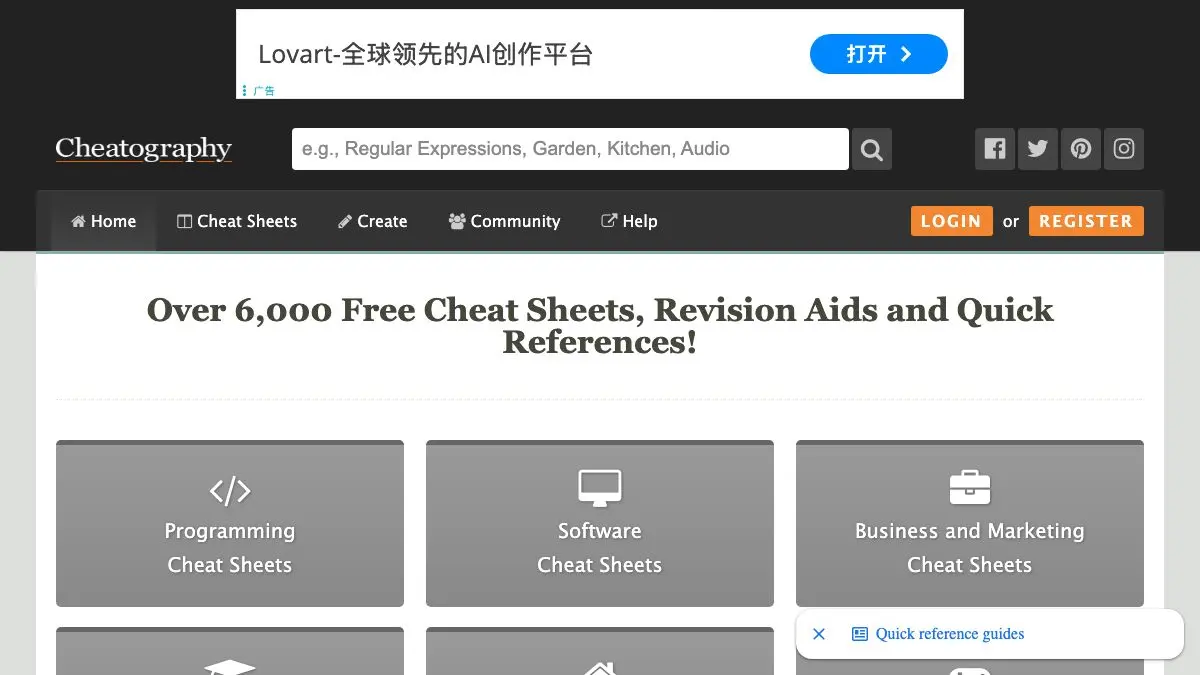
Cheatography is a very large pile of one-page reference cards, and it is one of those sites whose usefulness is inversely proportional to how impressive it sounds. Vim commands. Regular expression syntax. Every keyboard shortcut in Photoshop. Python string methods. Chess openings. The order of operations in a subject you last studied in 2009 and now urgently need.
Find the sheet, print it, tape it next to the monitor. The oldest productivity technology in computing, still undefeated.
What is Cheatography?
The site was started in 2011 by New Zealand developer Dave Child, who had been making reference cards for his own use and figured other people might want them too. It grew into a publishing platform: users build sheets with a browser-based editor, and everything gets published to a browsable, searchable library.
The core constraint is the whole idea. A cheat sheet is not documentation. It is what you keep after you delete the explanations, the tutorials and the edge cases, leaving only the things you need to look at repeatedly and can never quite remember. Cheatography’s editor enforces a column layout designed to fit on a printed page, which forces authors to cut. The result is dense in a way that a wiki page never is.
Coverage skews technical, because developers are the people most likely to make reference cards. Languages, shells, editors, frameworks, git, SQL, keyboard shortcuts for every major application. But the long tail goes far beyond that: language learning, medical terminology, music theory, statistics formulas, tabletop RPG rules, knitting stitch abbreviations, first aid. If a subject has a set of things people memorize badly, someone has probably made a sheet for it.
Everything exports as a PDF sized for printing, which matters more than it sounds. A cheat sheet on a second monitor is competing with your browser tabs. A cheat sheet on paper next to the keyboard is always visible and costs zero attention to consult, which is precisely why the format has outlived every attempt to replace it.
And because the sheets are user-made, the good ones carry a specific flavor of usefulness: they reflect what one experienced person actually needed to look up, rather than what a documentation team decided to include.
What can you do with Cheatography?
- Search for a tool you use daily. Type the name of an editor, language or application and you will usually find several sheets, often at different levels of depth.
- Download the printable PDF. Every sheet exports print-ready, in one, two or three column layouts depending on how the author built it.
- Browse by topic. Categories cover programming, applications, business, education, science, languages, food, health and a broad miscellaneous tail.
- Sort by popularity. The most-viewed sheets in any category are usually most-viewed for a reason, and it is the fastest way to filter a crowded topic.
- Compare several sheets on the same subject. Different authors emphasize different things, and the union of two sheets is often exactly the reference you wanted.
- Build your own with the editor. Column layouts, tables, code formatting and headings, all in the browser, with no design work required.
- Keep a sheet private. You can use the editor purely as a personal reference builder without publishing anything.
- Grab a language or academic sheet. Verb conjugations, formula lists, anatomy terms and similar memorization-heavy material is well represented.
Tips to get the most out of it
Actually print it. The temptation is to bookmark the sheet and never open it again. The entire value proposition is a piece of paper in your peripheral vision, and the version living in a browser tab is a version you will not consult.
Check the update date on software sheets. A shortcut reference for an application that has been redesigned twice since the sheet was published will quietly teach you things that are no longer true. Stable subjects like regex or SQL age much better.
Make your own for your own stack. The most useful sheet you will ever own is the one covering the specific commands, shortcuts and conventions of the project you are on right now, and nobody else can write it for you.
Use it when onboarding onto something new. In the first two weeks with an unfamiliar tool, a cheat sheet does more for you than the official docs, because your problem is not understanding, it is recall.
Pull two sheets for the same topic. A beginner-oriented sheet and an advanced one side by side will show you the gap in your own knowledge faster than any tutorial.
Do not trust it for anything consequential. These are community contributions, not verified references. For syntax, they are fine. For dosages, legal thresholds or anything where being wrong is expensive, confirm against the primary source.
If you like Cheatography, also try…
- Learn X in Y Minutes: the same compression instinct applied to whole programming languages, as a single annotated file.
- Excalidraw: for when the reference you need is a diagram you have to draw yourself.
- Omni Calculator: thousands of ready-made calculators for the formulas you would otherwise be copying off a sheet.
- regex101: the interactive companion to every regular expression cheat sheet ever made.
More things that make the workday shorter in Productivity, and more reference material in Learning & Education.
Frequently asked questions
What is Cheatography?
Cheatography is a website hosting thousands of cheat sheets, condensed one-page reference cards covering software, programming languages, keyboard shortcuts, academic subjects and hobbies. The sheets are created by users with a built-in editor and published for anyone to read, download as PDF and print.
Is Cheatography free?
Yes. Browsing, downloading and printing the sheets is free and does not require an account. You only need to sign up if you want to create and publish your own cheat sheets, which is also free.
Can I make my own cheat sheet on Cheatography?
Yes. The site includes an online editor with a column-based layout, tables, code blocks and formatting, so you can build a sheet without touching a design tool. You can keep it private or publish it, and finished sheets export to a print-ready PDF.
Are the cheat sheets accurate?
They are community-contributed, so quality varies. The practical filter is to check the publication or update date and the view count, since heavily used sheets for stable topics tend to be reliable. For fast-moving software, prefer a recently updated sheet and confirm anything critical against the official documentation.