// 2026-05-24 · Productivity · by Bob Smith
Excalidraw: The Whiteboard That Looks Hand-Drawn
Excalidraw is a free, open-source virtual whiteboard with a sketchy hand-drawn style, live collaboration, end-to-end encryption and no account required.
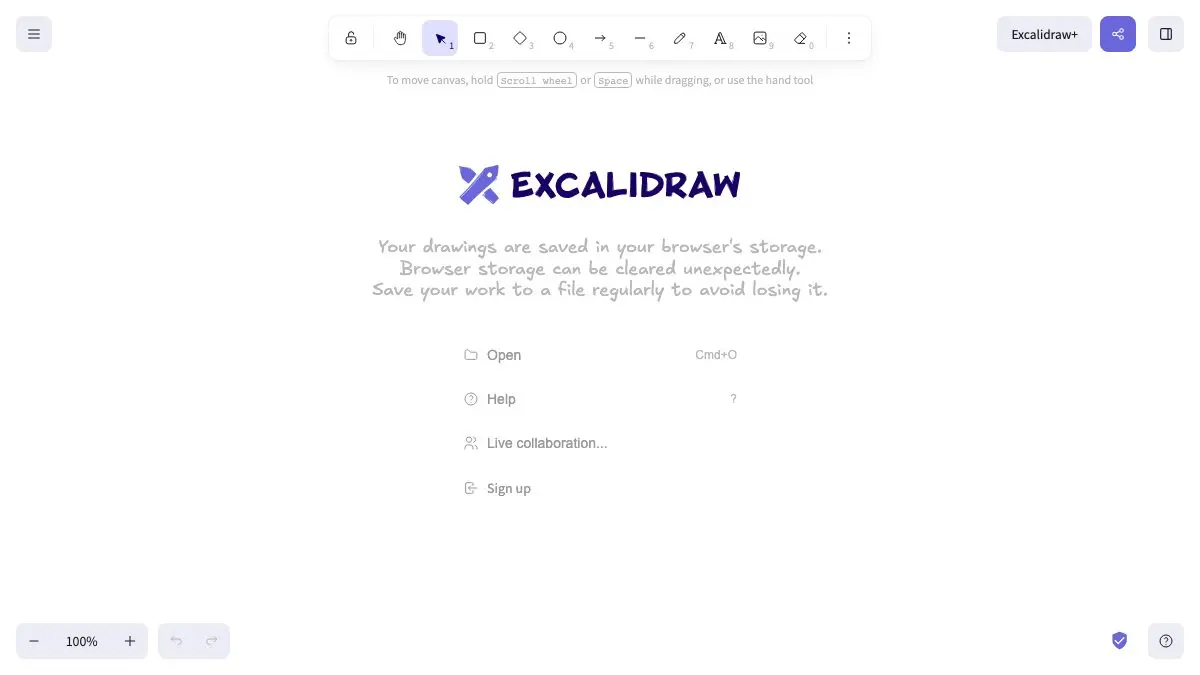
Open a tab, start drawing, and everything comes out looking like a confident sketch on a napkin. Excalidraw is a free, open-source virtual whiteboard with an infinite canvas and a deliberately hand-drawn look. No signup, no onboarding tour, no “invite your team to continue.” Just boxes, arrows, and the strange creative freedom that comes from a diagram that looks provisional.
What is Excalidraw?
Excalidraw is what happens when someone decides that diagramming tools are too precise for their own good.
The pitch is subtle but real: when a diagram looks polished, people argue about the layout. When it looks like you drew it in ninety seconds with a marker, people argue about the idea. The wobbly lines and slightly-off rectangles are a design decision, and they change how a room reacts to your architecture sketch.
Under that whimsy is a proper tool. Infinite canvas. Rectangles, circles, diamonds, arrows, lines and freehand drawing. Arrows that bind to shapes and follow them when you move things, with labels attached. Text, images, shape libraries, dark mode, undo, zoom and pan. Export to PNG, SVG or straight to the clipboard, plus an open .excalidraw JSON format so your work is never trapped.
It’s MIT licensed and open source, works offline as a PWA, autosaves locally to your browser, and offers real-time collaboration with end-to-end encryption. Excalidraw+ is the optional paid tier for teams.
What can you do on Excalidraw?
- Sketch system architecture in the time it takes to describe it out loud. Boxes and arrows, done.
- Wireframe a screen. The rough style is perfect here: nobody mistakes an Excalidraw wireframe for a finished design, which is exactly what you want in an early review.
- Run a live session. Share the link, watch everyone’s cursors appear, draw together. Great for remote whiteboarding without a heavyweight meeting tool.
- Use shape libraries. Community libraries add pre-made sets: cloud icons, UI elements, people, hardware, so you’re not redrawing a database cylinder for the hundredth time.
- Drop in images and annotate them. Screenshot plus arrows plus a scrawled “this is the bug” is a complete bug report.
- Send a read-only link when you want people to look but not touch.
- Work on a plane. It’s offline-capable and local-first, so no connection means no problem.
Tips to get the most out of it
- Learn three keys and you’re twice as fast.
Rfor rectangle,Afor arrow,Vfor the selection tool. Almost every diagram is those three in a loop. - Draw arrows from edge to edge, not point to point. Start the arrow on a shape’s border and end it on another shape’s border, it binds to both, and then moving either box drags the arrow along instead of leaving it stranded.
- Save the .excalidraw file, not just the PNG. The PNG is for sharing; the JSON is the editable original. Excalidraw can also embed the scene data inside an exported PNG or SVG, so a re-imported export stays editable.
- Build your own library. Anything you draw more than twice, your standard service box, your logo, your team’s icon set, can be saved into a personal library and reused forever.
- Turn off the sketchiness when you need to. The stroke style is adjustable, so a diagram that has to go into a formal document can be dialed toward clean lines while staying the same drawing.
If you like Excalidraw, also try…
- AutoDraw: draws for you when your circle doesn’t look like a circle. Sibling energy, different trick.
- JS Paint: MS Paint, faithfully reborn in the browser, for when precision is not the goal.
- Photopea: the heavyweight option, if your sketch has graduated into an actual design file.
More things that make work less annoying in Productivity.
Frequently asked questions
What is Excalidraw?
Excalidraw is a free, open-source virtual whiteboard for sketching diagrams, wireframes and flowcharts. Everything you draw comes out in a deliberately rough, hand-drawn style, and the canvas is infinite. It runs in the browser with no signup, and exports to PNG, SVG or the clipboard.
Is Excalidraw free?
Yes. Excalidraw is free and open source under the MIT license, and the excalidraw.com app is free to use with no account. There is an optional paid tier, Excalidraw+, for teams that want hosted workspaces and extra collaboration features.
Can multiple people edit an Excalidraw board at once?
Yes. Excalidraw supports real-time collaboration, you share a link and everyone sees each other's cursors and edits live. Collaborative sessions on excalidraw.com are end-to-end encrypted, so the server cannot read the contents of your board.
Does Excalidraw work offline?
Yes. Excalidraw is a progressive web app that works offline, and it is local-first: your drawing autosaves to your own browser rather than to a server. You can also save a board as an .excalidraw JSON file and open it later on any machine.