// 2026-08-05 · Learning & Education · by Bob Smith
Learn X in Y Minutes: Every Programming Language as One Commented File
Learn X in Y Minutes teaches 100+ programming languages as a single heavily-commented source file each. No videos, no signup, no chapter one about installing things.
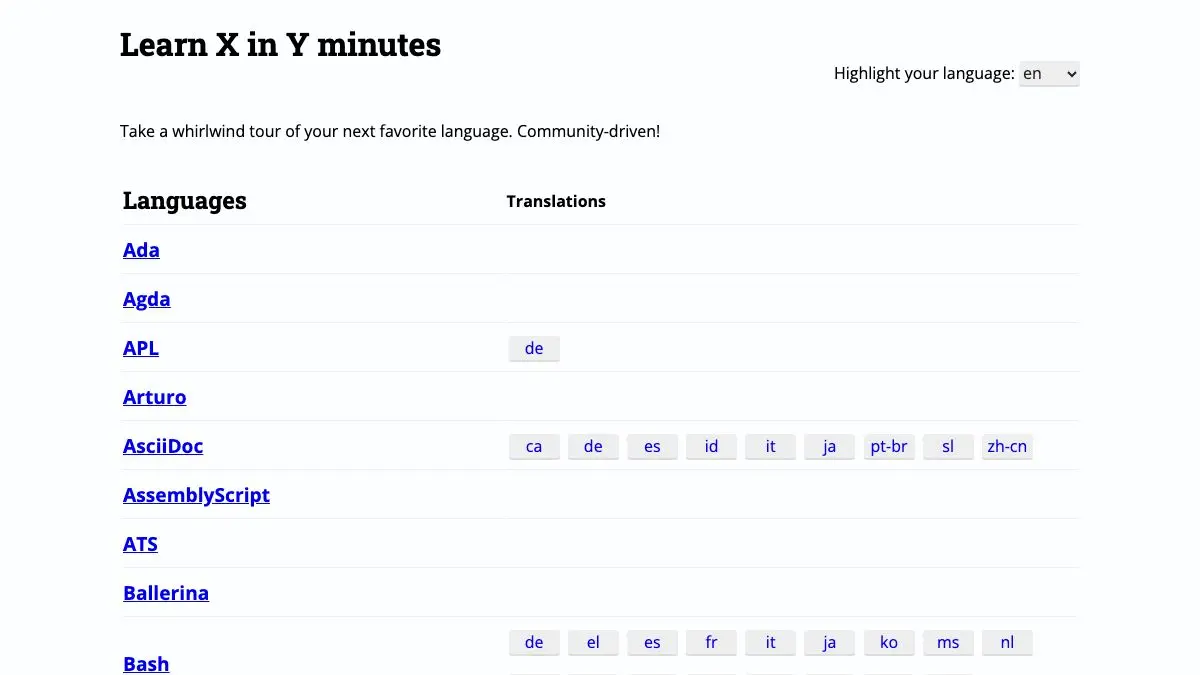
Learn X in Y Minutes teaches you a programming language by handing you one file. Not a course, not a video series, not twelve chapters where the first three are about installing a package manager. One valid source file in the target language, commented line by line, covering the syntax from variables to concurrency in a single scroll.
It is the fastest way to go from knowing nothing about a language to writing something in it, and it works for over a hundred of them.
What is Learn X in Y Minutes?
The premise is a small piece of insight: if you already program, you do not need a tutorial. You need the delta. You know what a loop is. You need to see what a loop looks like in Rust, and what the ownership rules do to it, and you need that in ninety seconds rather than a weekend.
So each page is a real program in the language, structured as a tour, with every line explained in a comment right there in the code. You read top to bottom. Comments carry the explanation, the code carries the syntax, and the two never separate into different places on the page. Copy the whole thing into a file and it generally runs.
The catalog is enormous. All the languages you expect are here, Python, Go, Rust, C, JavaScript, Haskell, Ruby, Java, SQL. So are the ones you do not: Forth, Prolog, Zig, Nim, Elm, Solidity, APL, LOLCODE. It also covers things that are not quite languages but need the same treatment: git, bash, vim, regular expressions, JSON, YAML, TOML, Docker files, make.
The whole thing is community-maintained and open source. Pages live in a public repository and improve through pull requests, which is why coverage of newer languages tends to appear fast and why some corners are more polished than others. Many pages have translations into other human languages, done by whoever cared enough.
No account, no ads, no cookie banner, no attempt to sell you a bootcamp at the bottom. It is a rare example of a resource that does exactly one thing and then stops.
What can you do with Learn X in Y Minutes?
- Pick up a new language in an afternoon. Read the page, copy the file, start modifying lines and seeing what breaks. That is the whole method and it works.
- Use it as a syntax refresher. Coming back to a language you have not touched in two years, this is faster than opening the official docs and remembering how they are organized.
- Look up idioms, not just syntax. The pages cover the conventional way to do things in each language, not just what is legal.
- Learn the tools, not just the languages. The git, bash, vim and regex pages are excellent standalone references.
- Read it in another language. Community translations cover many of the more popular pages.
- Compare two languages side by side. Open Go and Rust in two tabs and you have the clearest possible view of how they differ in practice.
- Contribute. Everything is on GitHub, so fixing an outdated example takes a pull request.
Tips to get the most out of it
Actually run the file. Copy the whole page into a scratch file and execute it. Half the value is in changing a line, breaking it, and reading the error message the language gives you. Passive reading gets you about a third of the way.
Read it before the official tutorial, not instead of it. Twenty minutes here makes the official documentation dramatically easier to navigate because you already know what the concepts are called in that language’s vocabulary.
Use it to decide, not just to learn. Skimming the page for a language is a very cheap way to work out whether you want to spend a month on it. The syntax tour tells you more about the day-to-day feel than any comparison article.
Do not skip the tool pages. The bash and git pages are genuinely useful even for people who have used both for years, because they surface the constructs everyone quietly avoids.
Check the page’s freshness for fast-moving languages. Languages that change quickly can drift ahead of their page. If something does not compile, the repository history will usually tell you what changed.
Keep a few tabs pinned. The pages are small, static and load instantly, which makes them better as a permanent reference tab than any documentation site.
If you like Learn X in Y Minutes, also try…
- Cheatography: the same one-page-reference instinct applied to thousands of other subjects.
- regex101: the interactive companion to the regex page, explaining your pattern piece by piece as you type it.
- SQLZoo: hands-on SQL exercises for when the read-only tour is not enough.
- Scratch: the opposite approach, for the beginner this site politely declines to serve.
More fast paths to competence in Learning & Education, and more things worth pinning in Tools & Utilities.
Frequently asked questions
What is Learn X in Y Minutes?
Learn X in Y Minutes is a collection of whirlwind programming language tutorials, each presented as a single annotated source file. Instead of chapters, you get valid code in the target language with comments explaining every construct as it appears. It covers well over a hundred languages plus tools like git, bash, vim, JSON and YAML.
Is Learn X in Y Minutes free?
Yes, entirely free with no account and no ads. The project is community-maintained and open source, with all the tutorial files hosted publicly so anyone can submit corrections or a new language. Many pages have community translations into other human languages.
Is it good for complete beginners?
Not really, and it does not pretend to be. It assumes you already know how to program in at least one language and want the syntax and idioms of a new one quickly. If you have never written code before, a structured course will serve you better, and you can come back here for your second language.
Can I contribute a language to Learn X in Y Minutes?
Yes. The site is generated from files in a public repository, and contributions arrive as pull requests. You can fix an error, modernize an outdated example, add a translation, or write an entire new language page following the existing format.